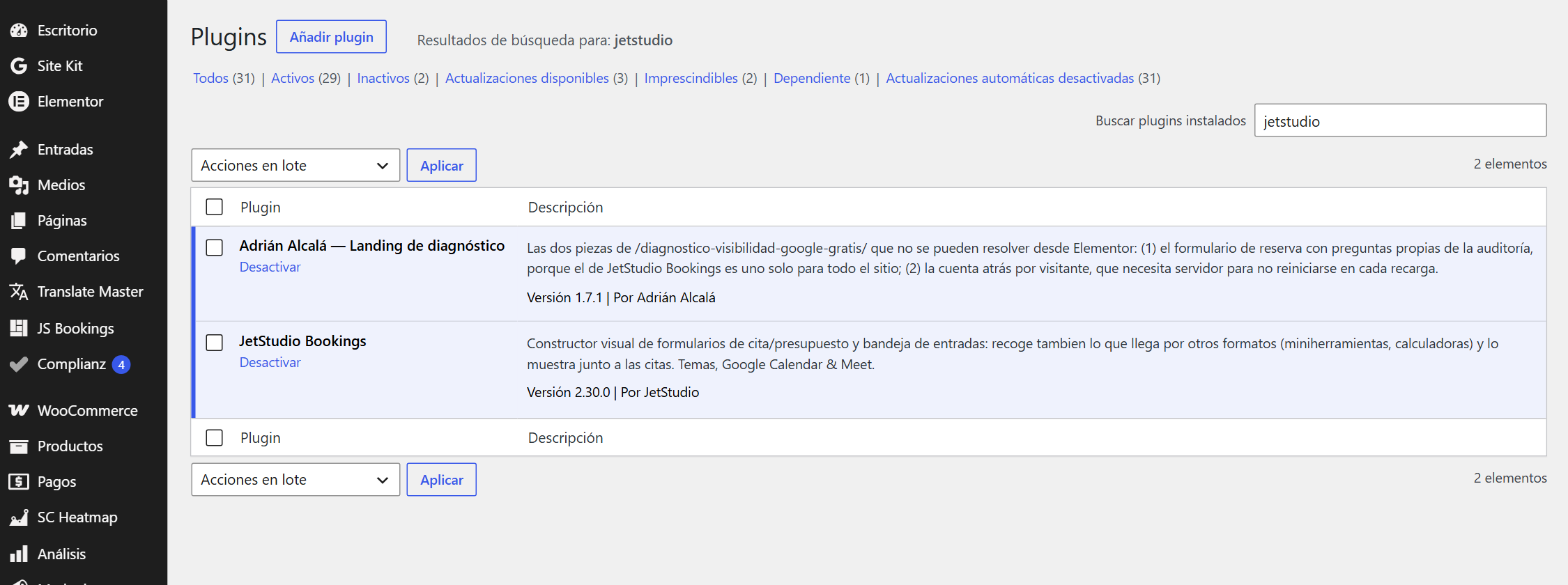
Plugins › JetStudio Bookings

JetStudio Bookings: appointment forms that people actually finish

One question per screen instead of a wall of fields, and Google Calendar behind it: the visitor chooses their time and the appointment is booked automatically, with its Meet link. Everything within your WordPress and with a one-time payment.

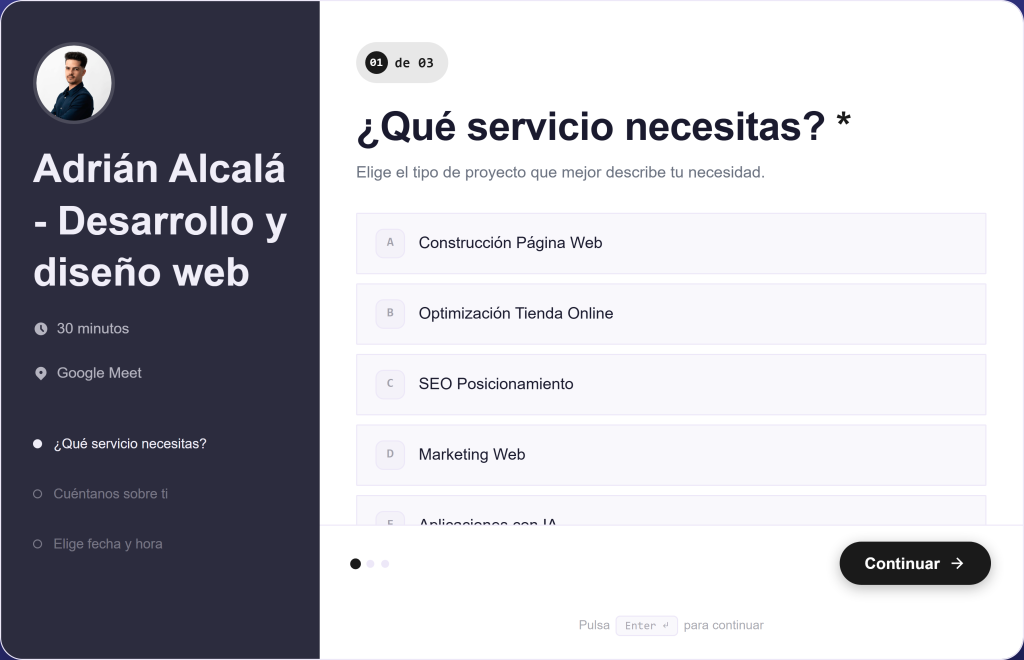
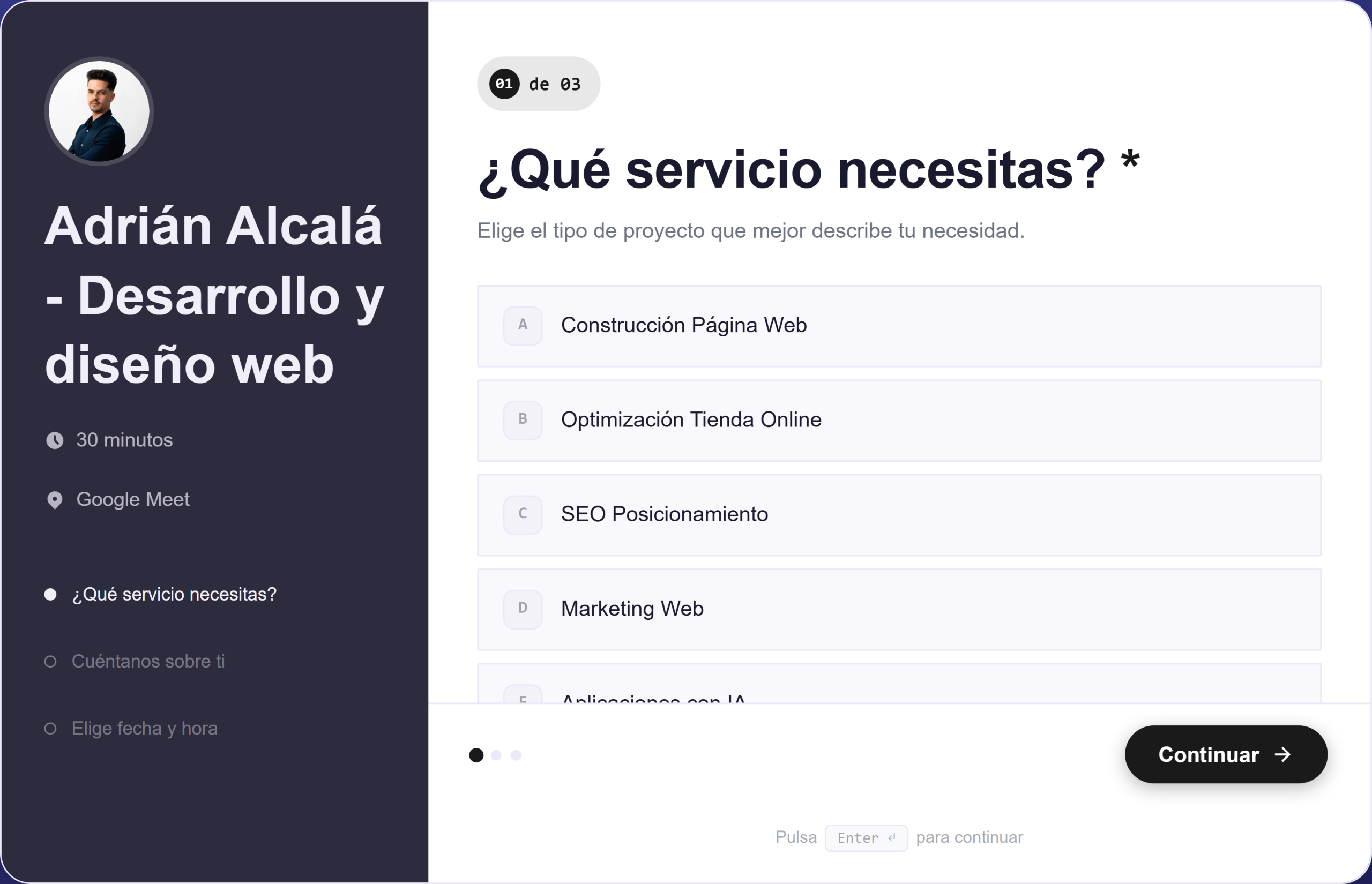
JetStudio Bookings — first form step
Appointments · Lead generation

Choose where you start

The free version is downloaded right here and does not expire. If you choose one of the paid plans, you go to the product page with that plan already selected.

Free

0 €

forever

The form and the inbox, really working. Without expiration and without asking for your email.

Pro · 1 site

29.95 €

single payment, VAT included

All of the above plus the calendar and automatic emails, in one installation.

RECOMMENDED

Pro · 5 sites

59.95 €

single payment, VAT included

The same license distributed among five websites. It comes out to twelve euros per site.

Pro · Unlimited

129 €

single payment, VAT included

Unlimited installations. Designed for studios that set it up on every website they deliver.

Single payment for all three plans: no monthly fee. Coupon WEB15 in the cart for a 15% discount.

The plugin

What is JetStudio Bookings

Most forms are abandoned because they ask for everything at once. JetStudio Bookings breaks the request into steps: one question per screen, automatic advance upon choosing and a bar that shows how much is left. The visitor answers without feeling like they are filling out a form.

And behind it there's not just a form. Each request is saved in your own WordPress with what was answered and where it came from, an automatic email goes out with your free hours inside and, when the visitor chooses a slot, the event is created in Google Calendar with its Meet link.

I did it for my own website because online appointment services charge a monthly fee per user and take your data to their server. Here the data is yours, it's a one-time payment and there's no limit on appointments or forms.

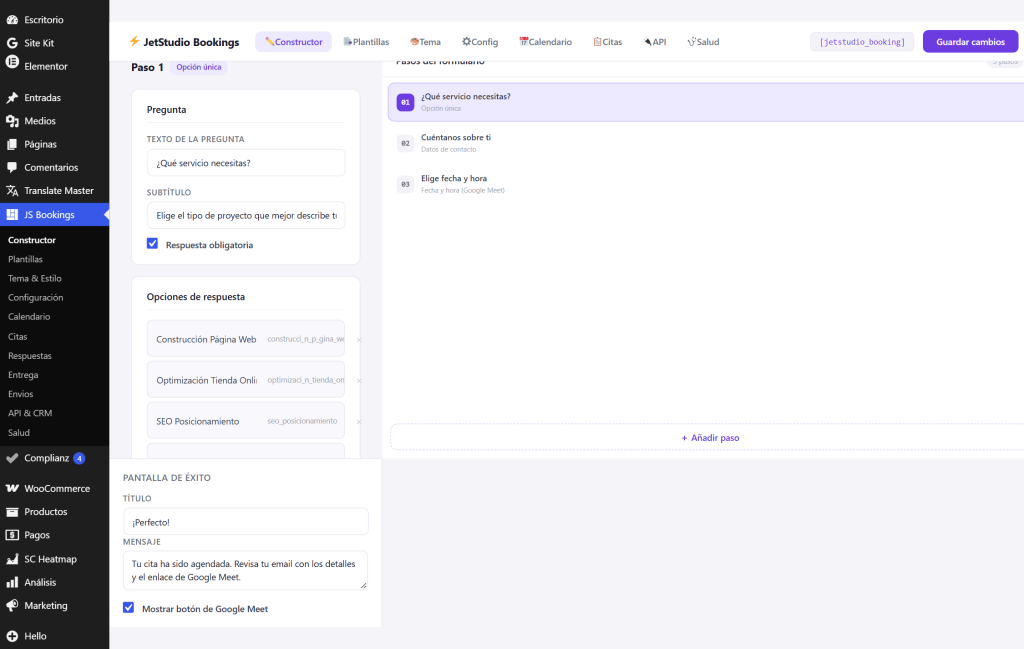
JetStudio Bookings — visual form builder
What it does

Main features

Multi-step visual builder

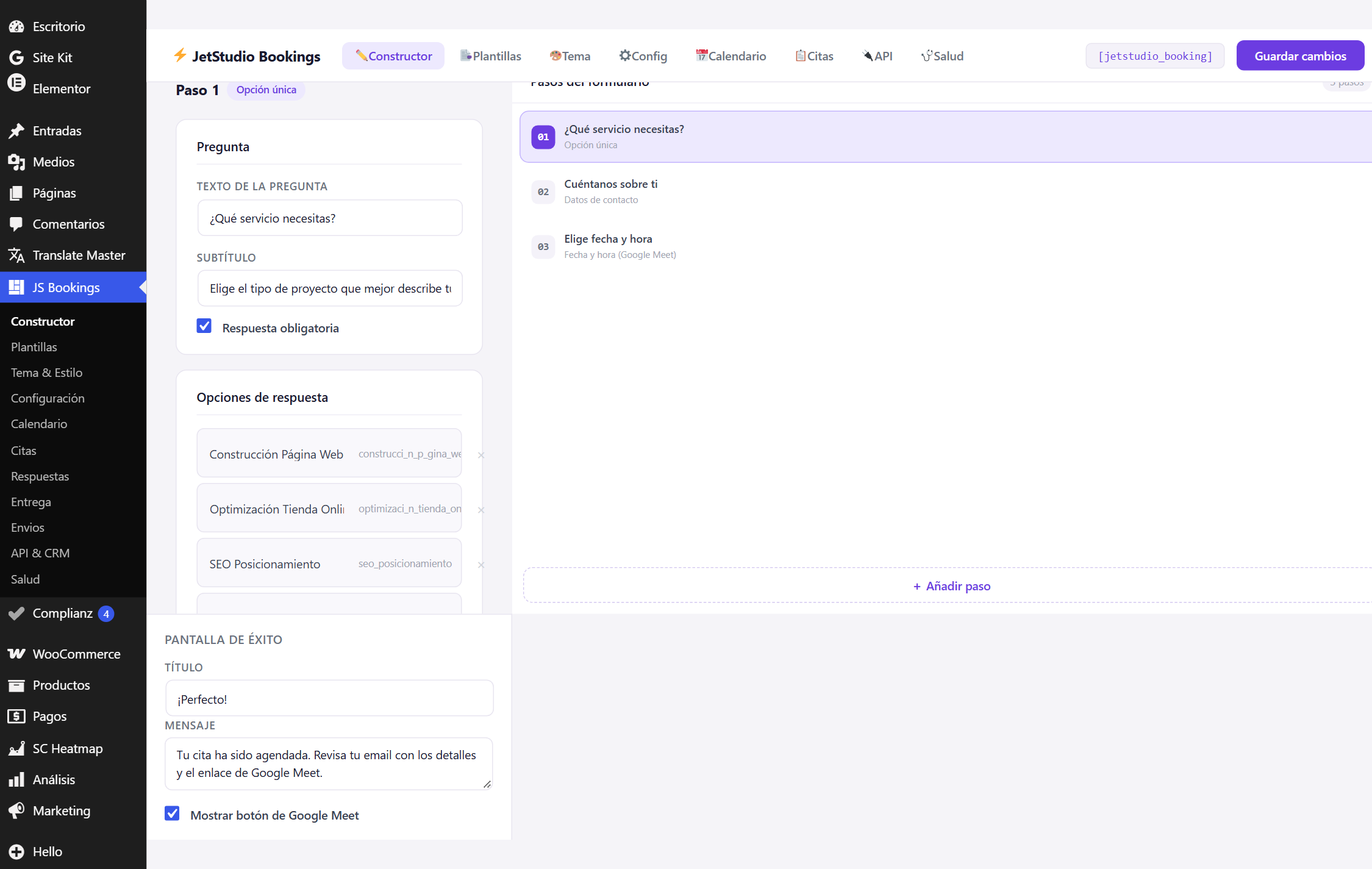
You set up the questions from the panel: choice, free text, contact details and date. Without touching code.

Google Calendar and Meet

Show your real slots, respect what you already have in your calendar and create the event with its video call.

Requests Inbox

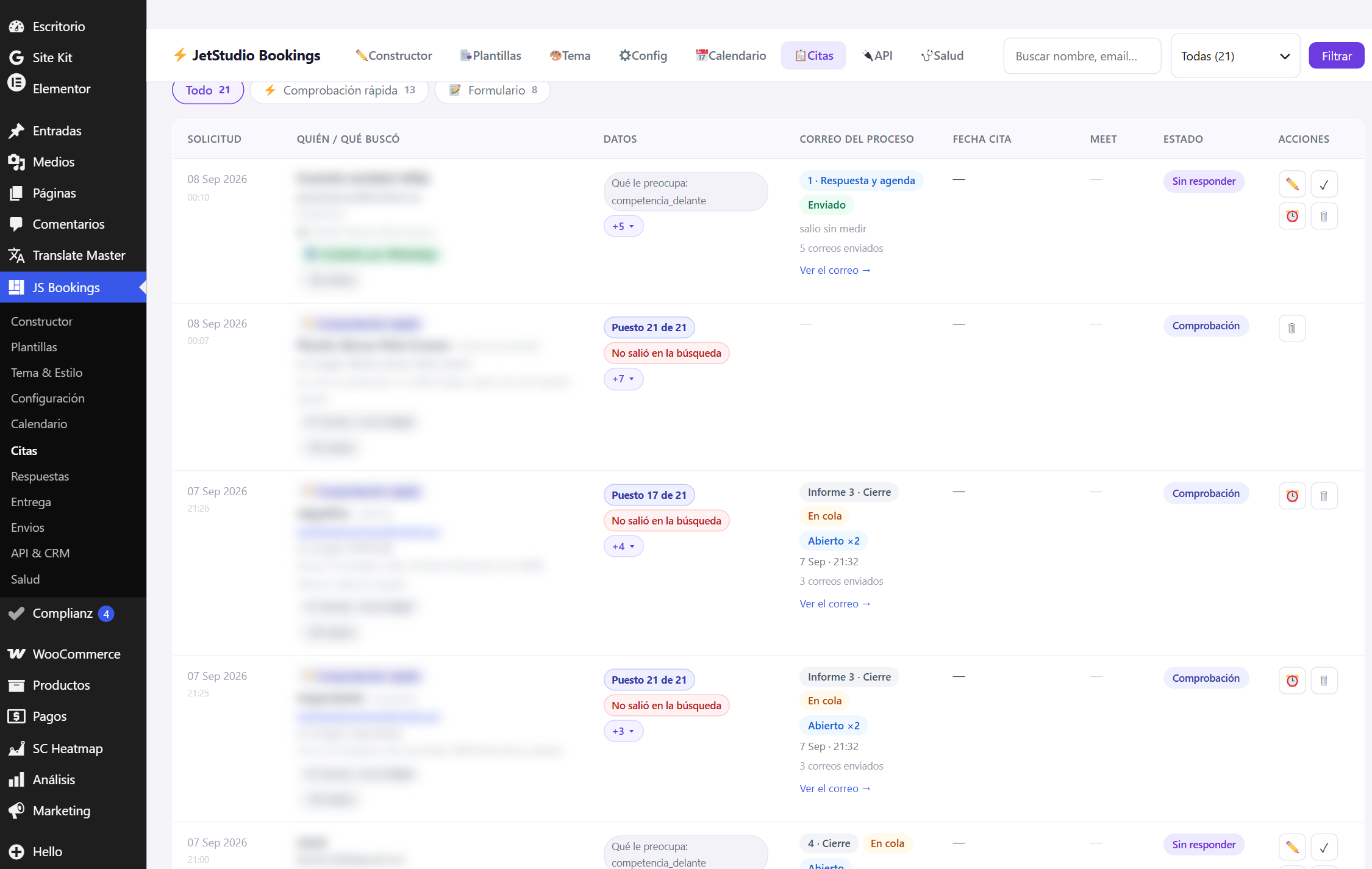
Each entry saved in your WordPress, with its responses, its status and through which channel it arrived.

Emails that finalize the appointment

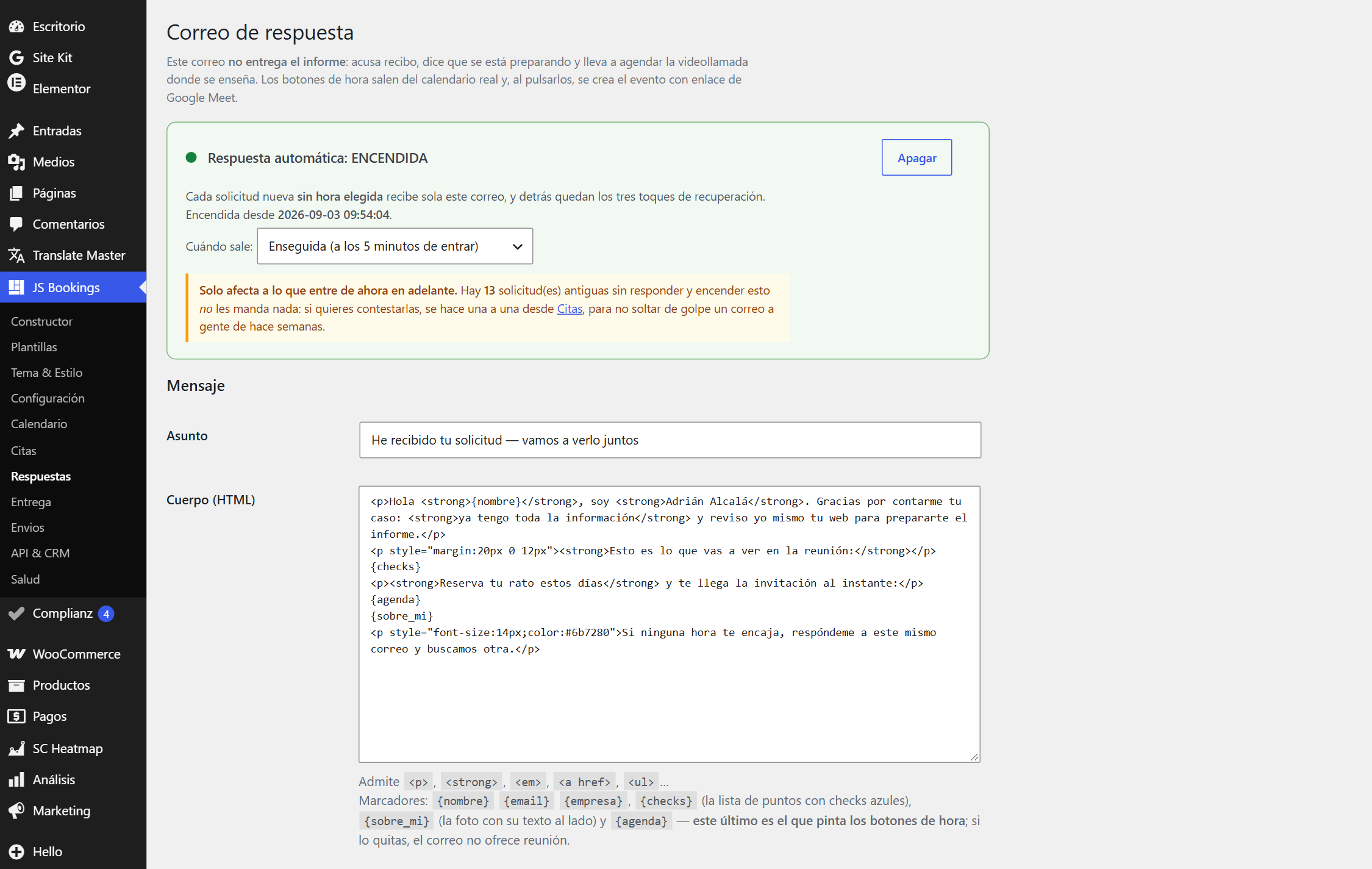
Acknowledgment with the time grid inside the email, reminder, follow-up and closing. With opens and clicks.

Three templates and custom theme

Typeform, Calendly or classic, with your colors and your typography. Elementor Widget or shortcode.

Health Screen

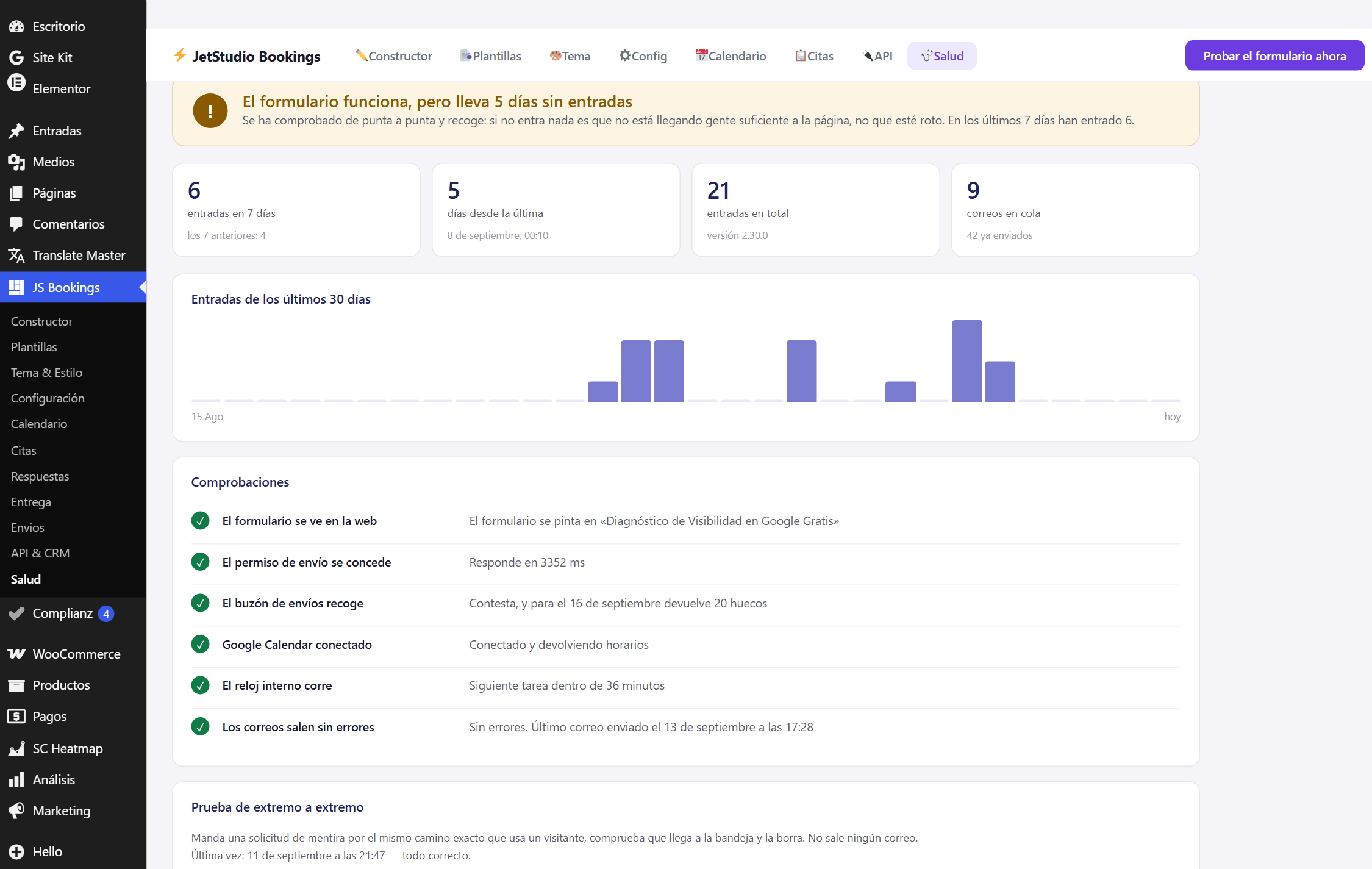
It automatically checks that the form delivers end-to-end and notifies you on the dashboard if something breaks.

See it in action

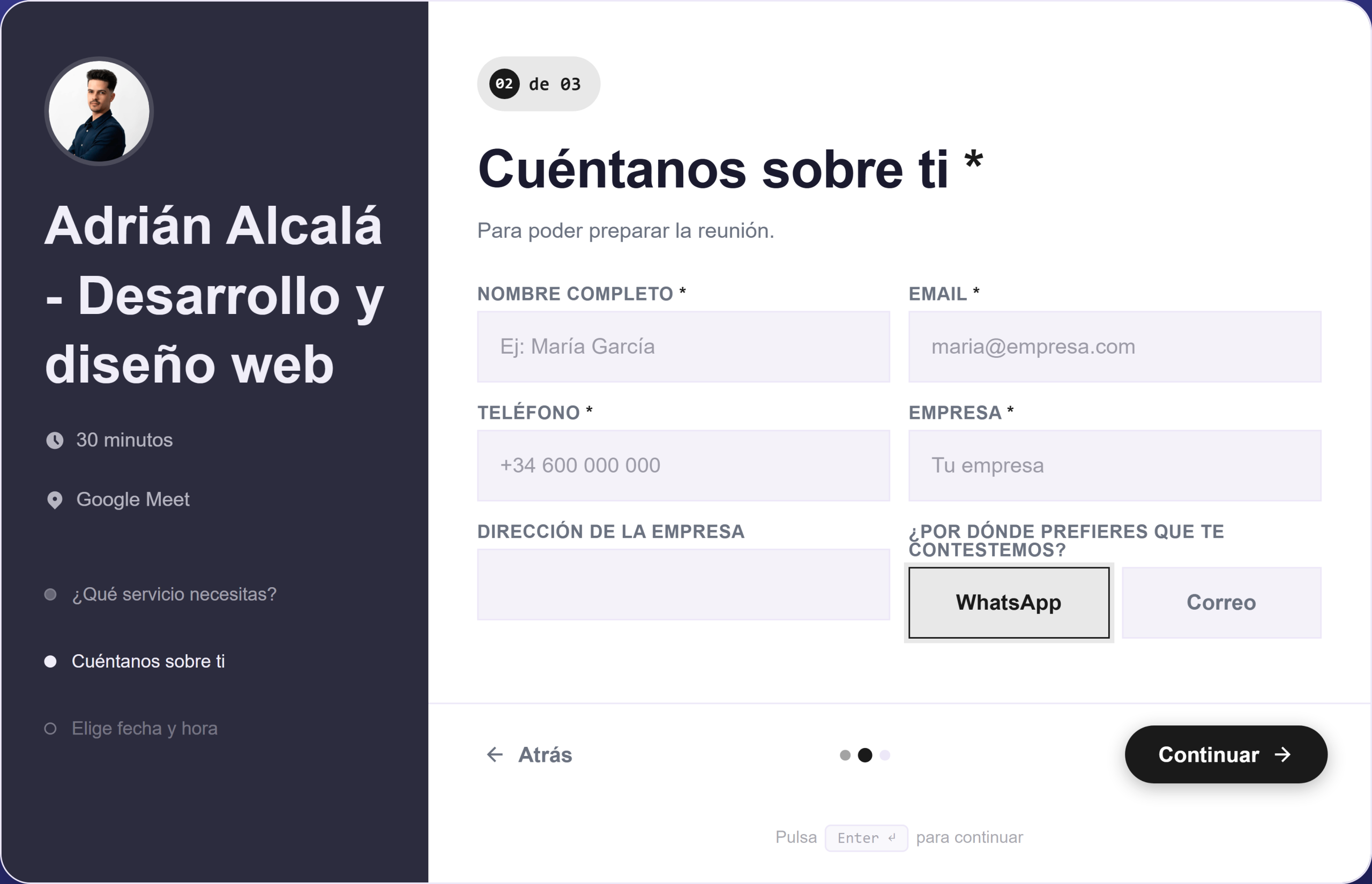
The data, at the end and in a single step

First you choose what you need and only then does it ask for your name, email and phone. When the visitor gets there, they have already invested two clicks, so they fill it out instead of leaving. You decide the fields from the builder.

Without back-and-forth emails

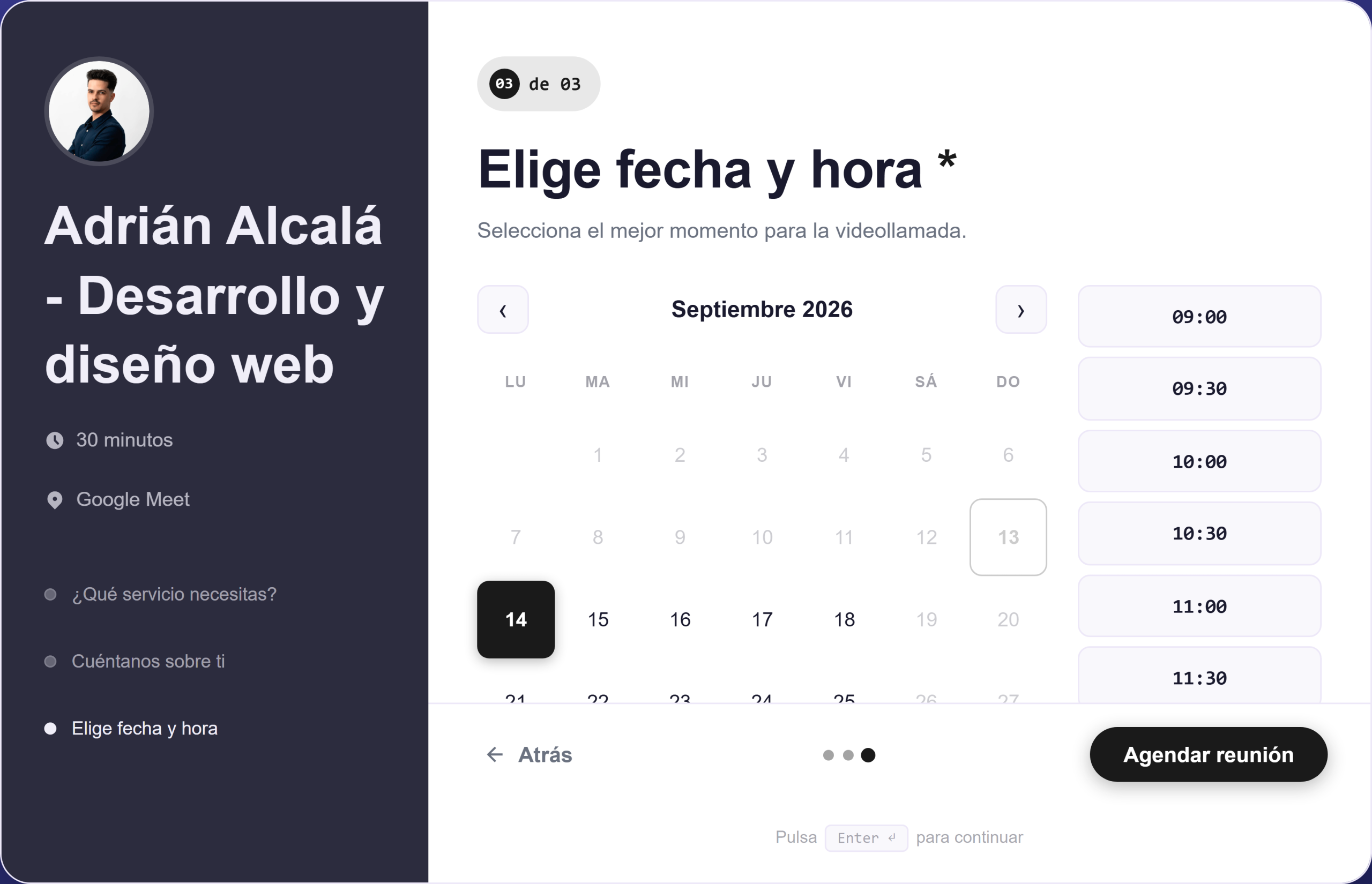
Choose a slot without leaving your website

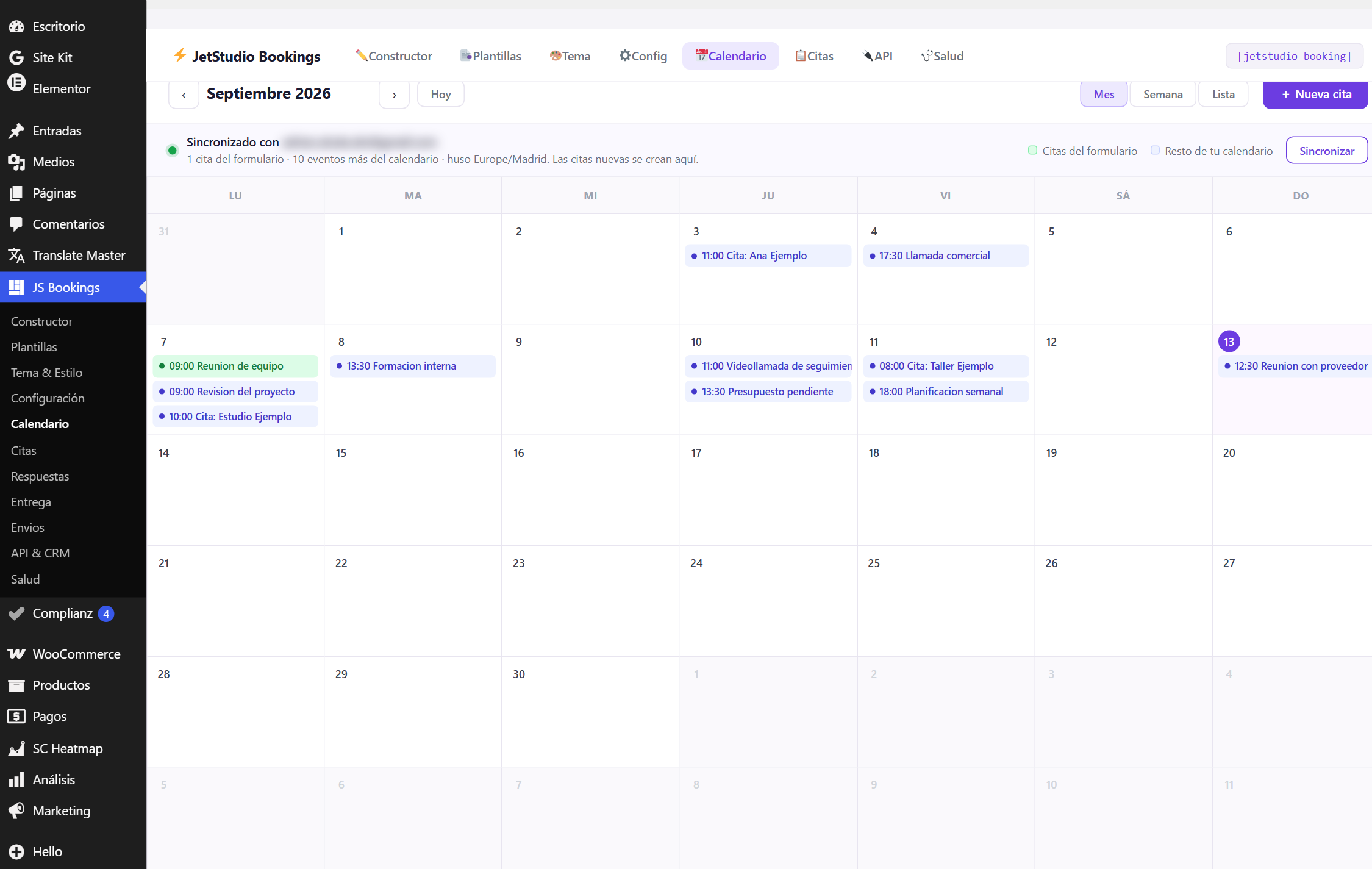
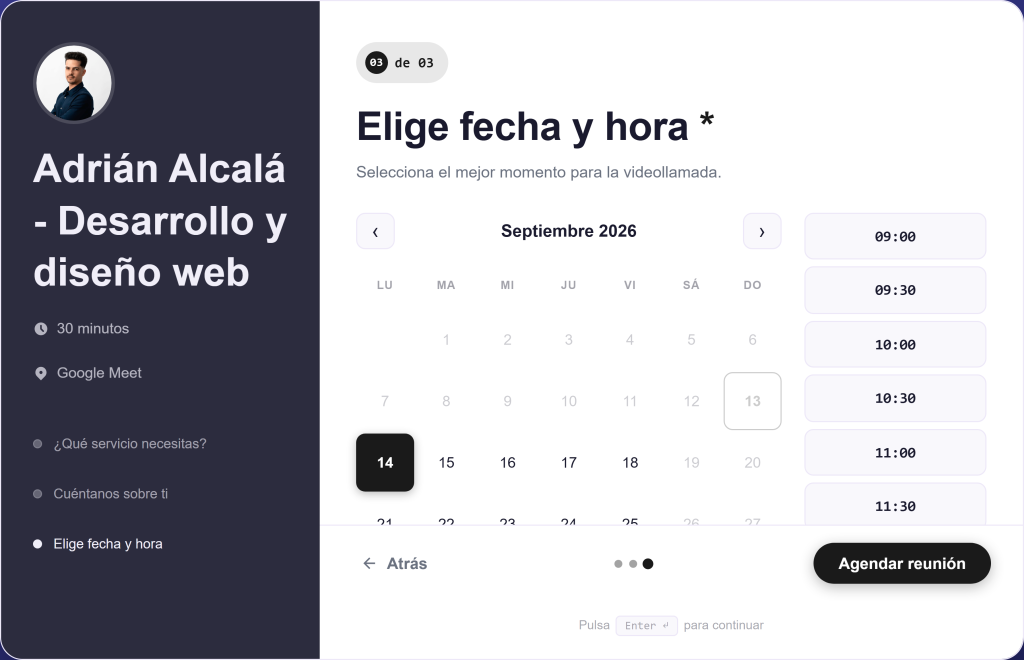
The last step paints your calendar with the hours you truly have free: JetStudio Bookings reads your Google Calendar, subtracts what you already have occupied and applies your schedule. Upon confirming, it creates the event and the Meet link, and it reaches both of you.

Everything under control

Each request, saved in your WordPress

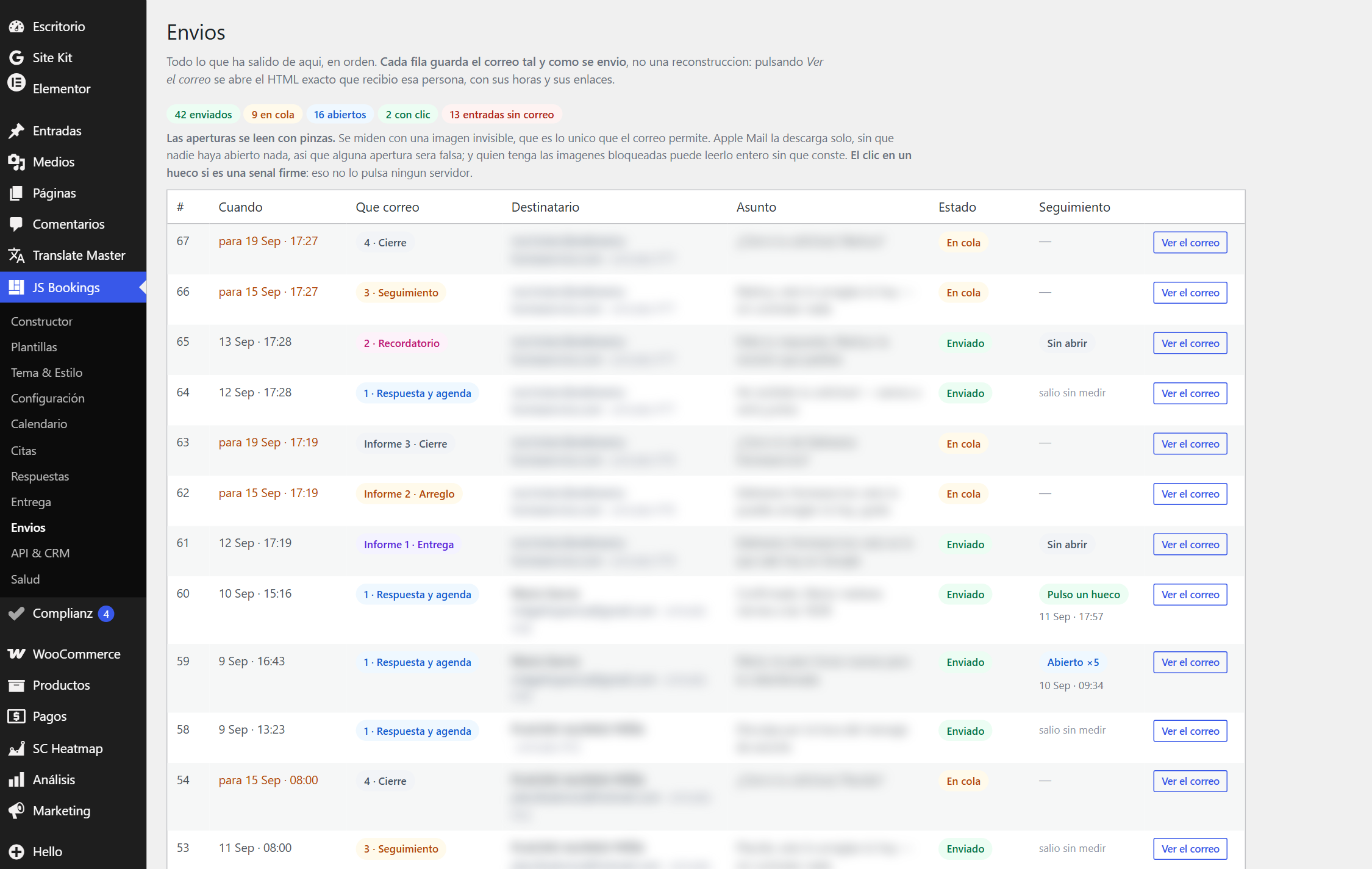
The tray gathers what comes in through the form and through the website's mini-tools, with each person's responses, the status of the email process, and where it came from. Without exporting anything or depending on an external service.

How it looks

The plugin inside

These are real screenshots of the JetStudio Bookings panel running on this very website. Personal data is covered; the rest is shown as is.

Builder: you set up the steps and see the form change as you edit it.

Calendar: your appointments and the rest of your Google calendar in the same view.

Replies: the automatic email that goes out with the free hours inside the email.

Sends: every email that has been sent, with its status, its opens and its clicks.

Health: it checks by itself that the delivery works and notifies if something fails.

Who it serves

Who it's for

In action

How it works

1

Set up the form

You choose the questions in the constructor and place it with the Elementor widget or with the shortcode.

2

Connect your calendar

You paste your Google credentials once and the form starts showing only your free slots.

3

Receive and respond

Each request enters the tray and the automatic email takes care of closing the appointment.

JetStudio Bookings — date and time selection
Getting started

How it's installed

Four steps, only once. No need to touch code or hire anything else.

1

Upload the plugin

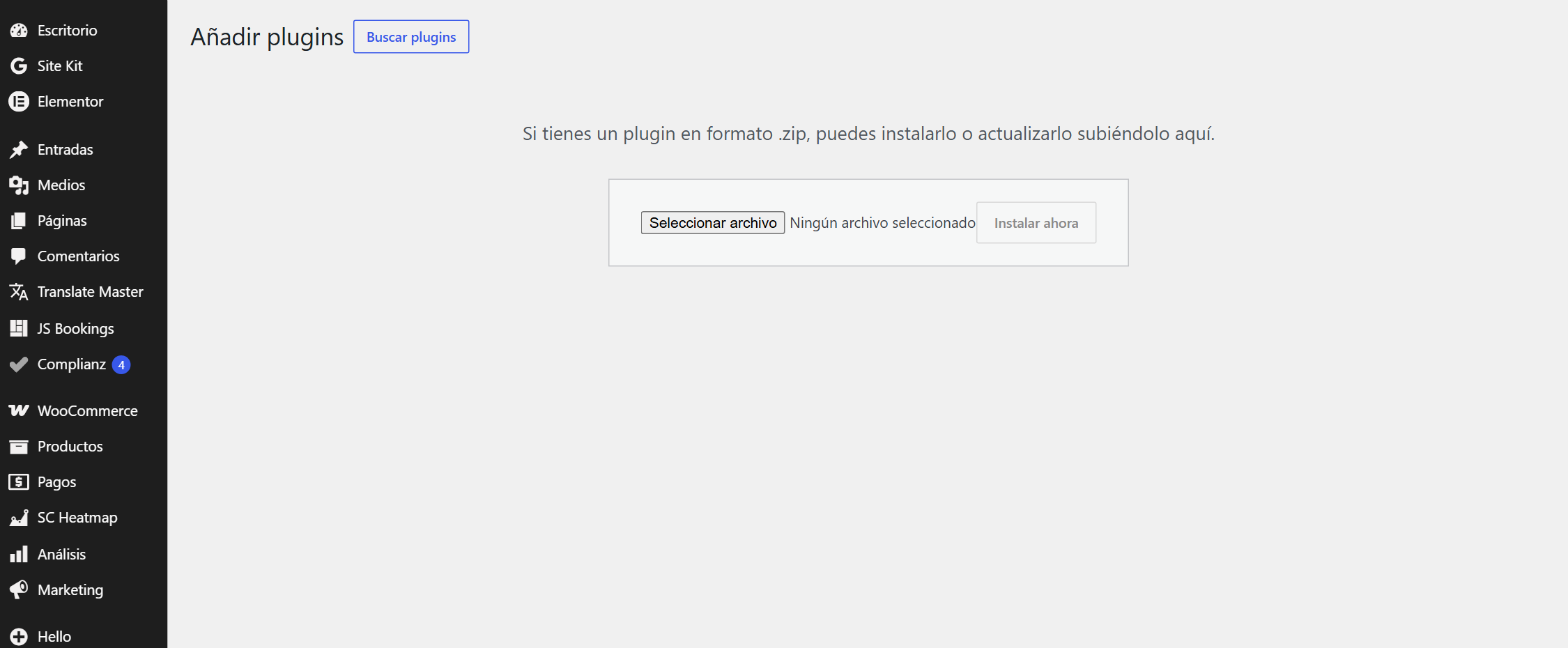
Plugins › Add new › Upload, and you choose the .zip you download when purchasing.

2

Activate it

It appears in the plugin list and you activate it with one click.

3

Set up your steps

In JS Bookings › Constructor you choose the questions, the template and the colors.

4

Put it on your page

You drag the widget in Elementor or paste the shortcode, and it already receives appointments.

JetStudio Bookings — first form step

Buy it right here

JetStudio Bookings does not have its own website: it is downloaded and purchased on this very page. The free version is a zip you get now; the paid plans go through the product page, where you choose a license and pay by card.

From 29,95 €
One-time payment · VAT included · immediate download
Code WEB15 · –15%

Doubts before buying?

Write to me and I'll confirm if it fits your website. Adrián responds directly.