Step-by-step appointment and lead generation form for WordPress, with a request inbox within your website. In the Pro version: real slots from your Google Calendar, event with Meet, automatic reply emails, and report delivery. One-time payment, no monthly fee, and updates included for one year.
29,95 € — 129,00 €Price range: 29,95 € through 129,00 € IVA incluido
The free version is not a demo with a countdown: it stays in your WordPress and serves for working. The paid plans add the calendar, automatic emails, and everything that means you don't have to be on top of it.
forever
The form and the inbox, really working. Without expiration and without asking for your email.
single payment, VAT included
All of the above plus the calendar and automatic emails, in one installation.
single payment, VAT included
The same license distributed among five websites. It comes out to twelve euros per site.
single payment, VAT included
Unlimited installations. Designed for studios that set it up on every website they deliver.
All plans are one-time payment: there is no monthly fee. The license stops receiving updates after a year, but the plugin continues to function.
Six things that eliminate manual work every day. None require you to touch code.
The form checks your Google Calendar before offering a time. If you have it busy, it doesn't appear. Upon confirmation, the appointment is created with its Meet link.
Appointments, quotes, and whatever your website's calculators or mini-tools generate, in the same inbox, with who it is, what they answered, and how they arrived.
Instant acknowledgment of receipt and a time grid within the email itself: a time is clicked and the appointment is booked without returning to the website.
Reminder, follow-up, and closing, each with its own deadline. As soon as the person responds, the sequence stops automatically.
The Health screen sends a test entry through the same path as a visitor, checks that it has arrived, and deletes it. Without sending a single email.
REST API with custom keys to dump each request to your CRM, and WhatsApp channel if you bring your own bridge.
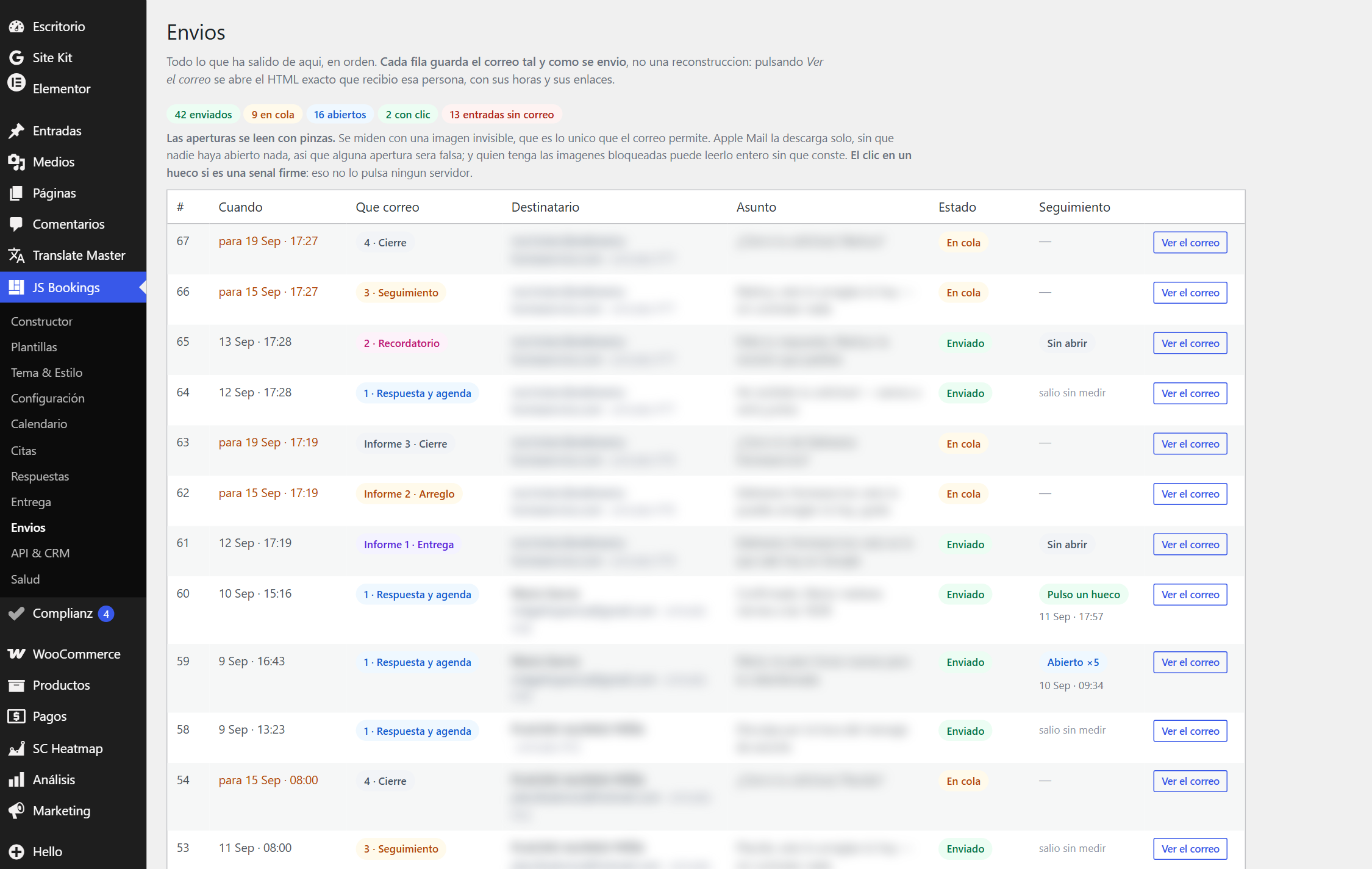
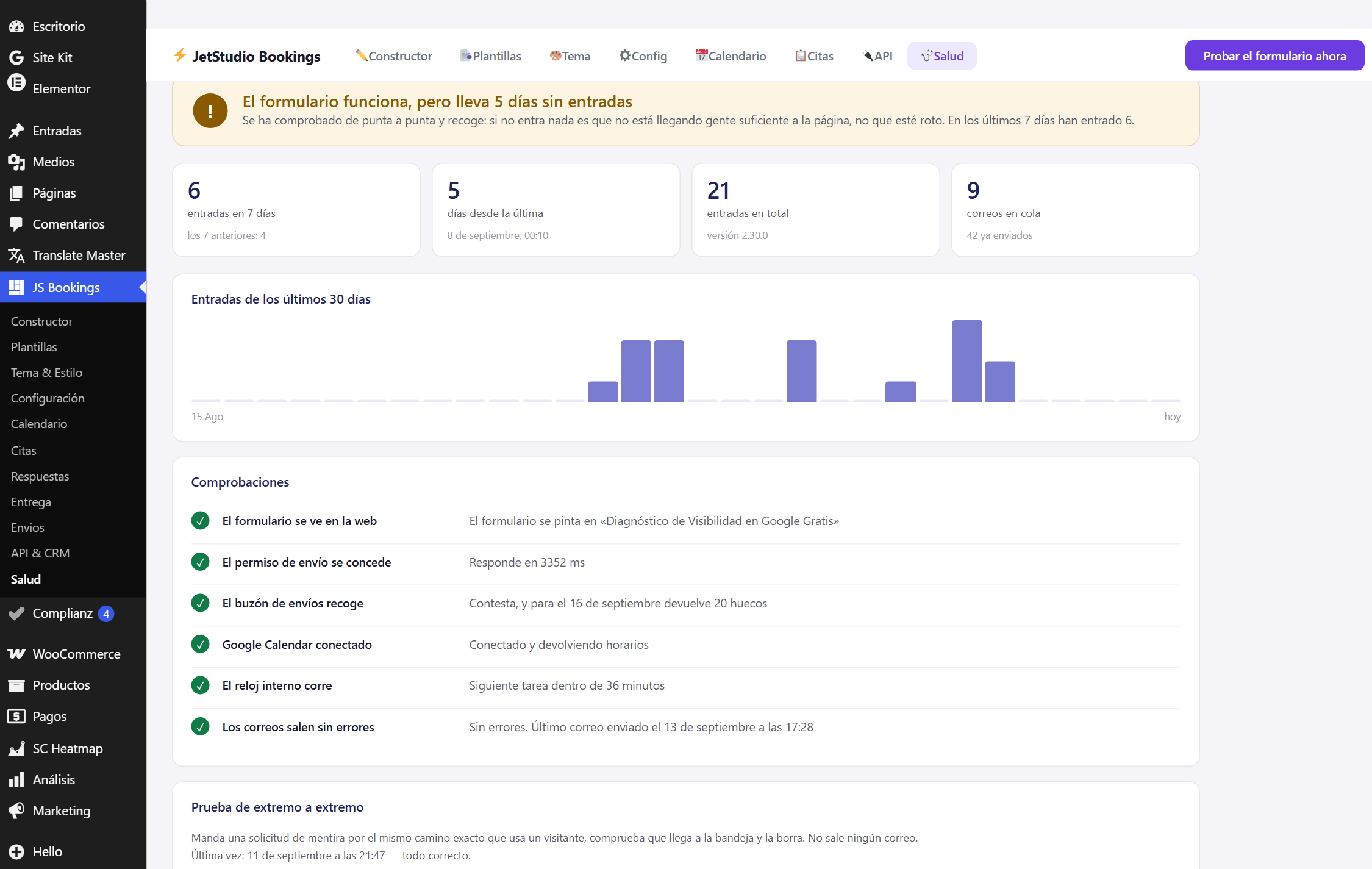
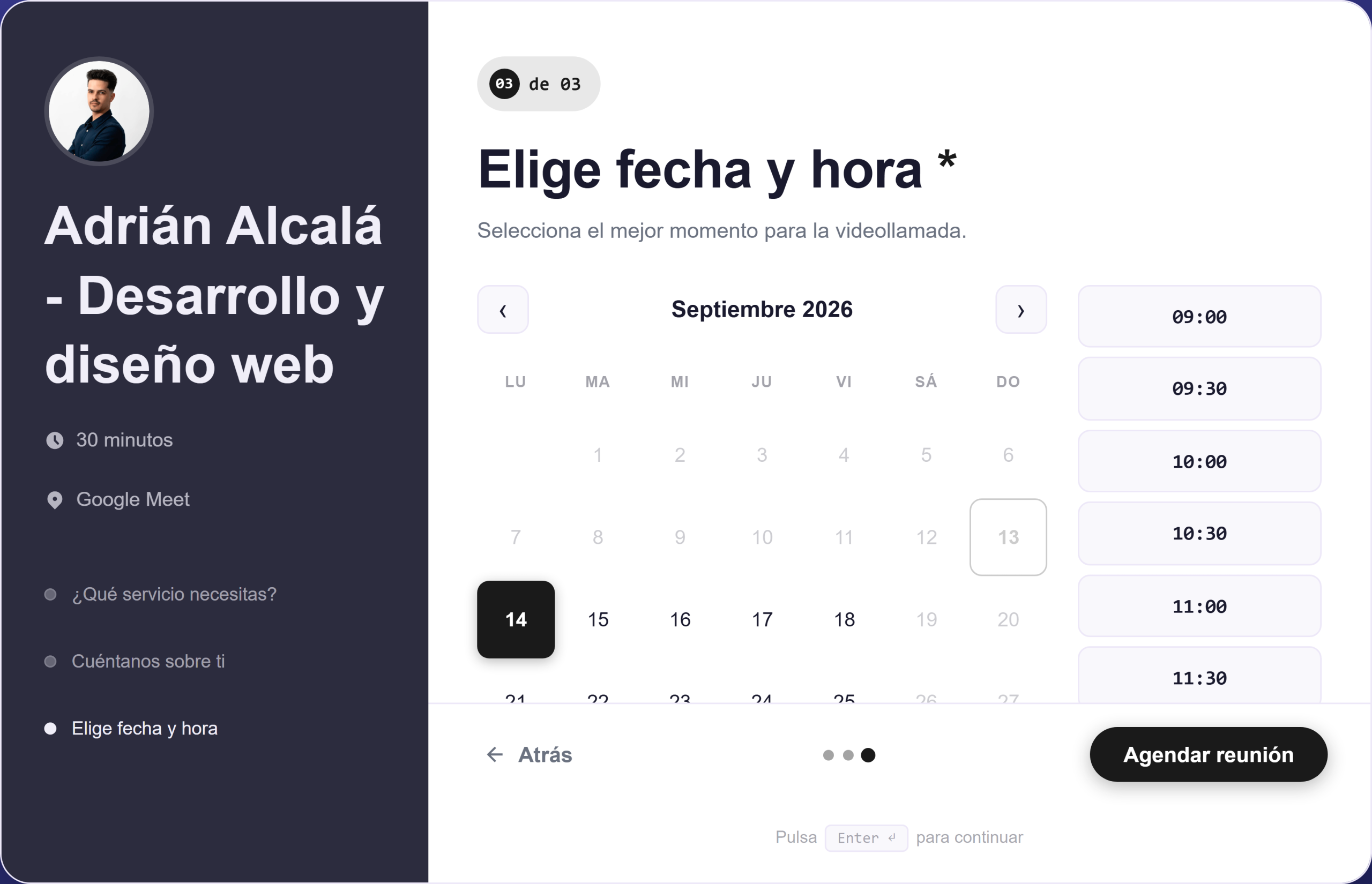
Three screens of a real form, not a mockup.
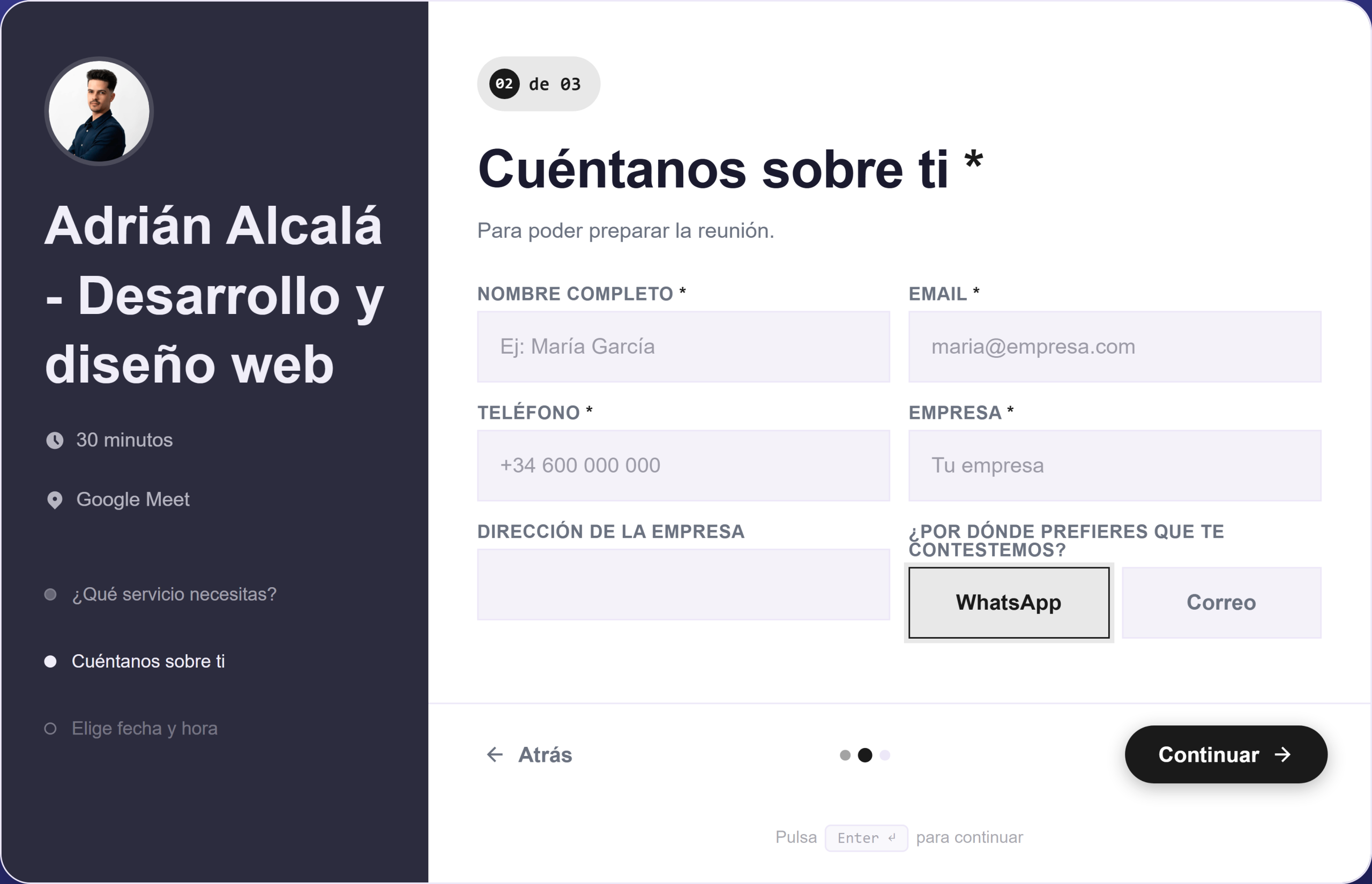
First choose what they need and when. The name and email are requested at the end, once they've invested half a minute: that's where people finish instead of abandoning.
Slots come from your Google Calendar in real time, so you can't book something you already have occupied. Upon confirmation, the event is created with its Meet link.
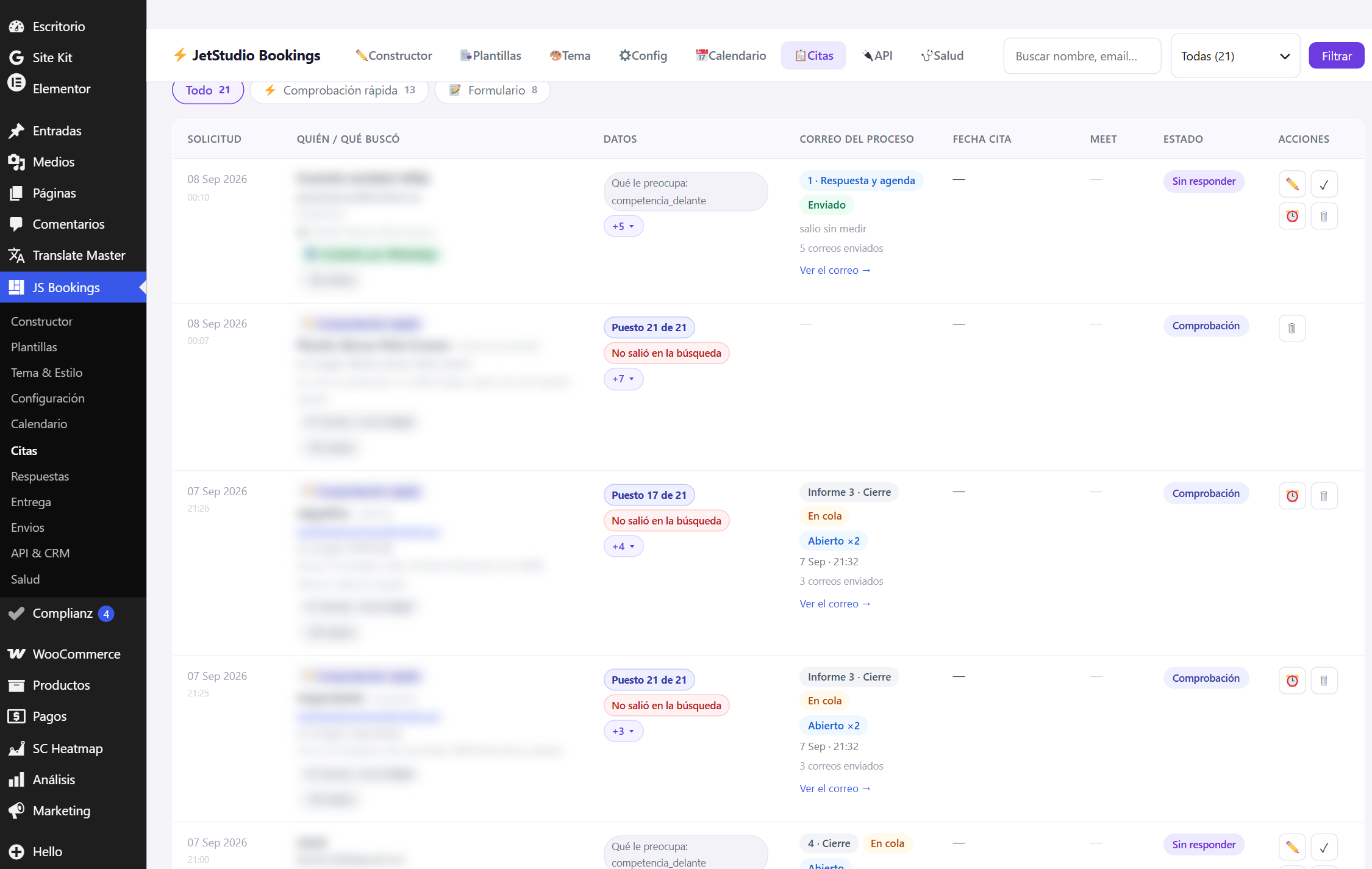
Nothing lives in an external service: requests remain in your database, with their status, where the person came from, and the history of what has been sent to them.
The five desktop screens. Tap any to view it full size.
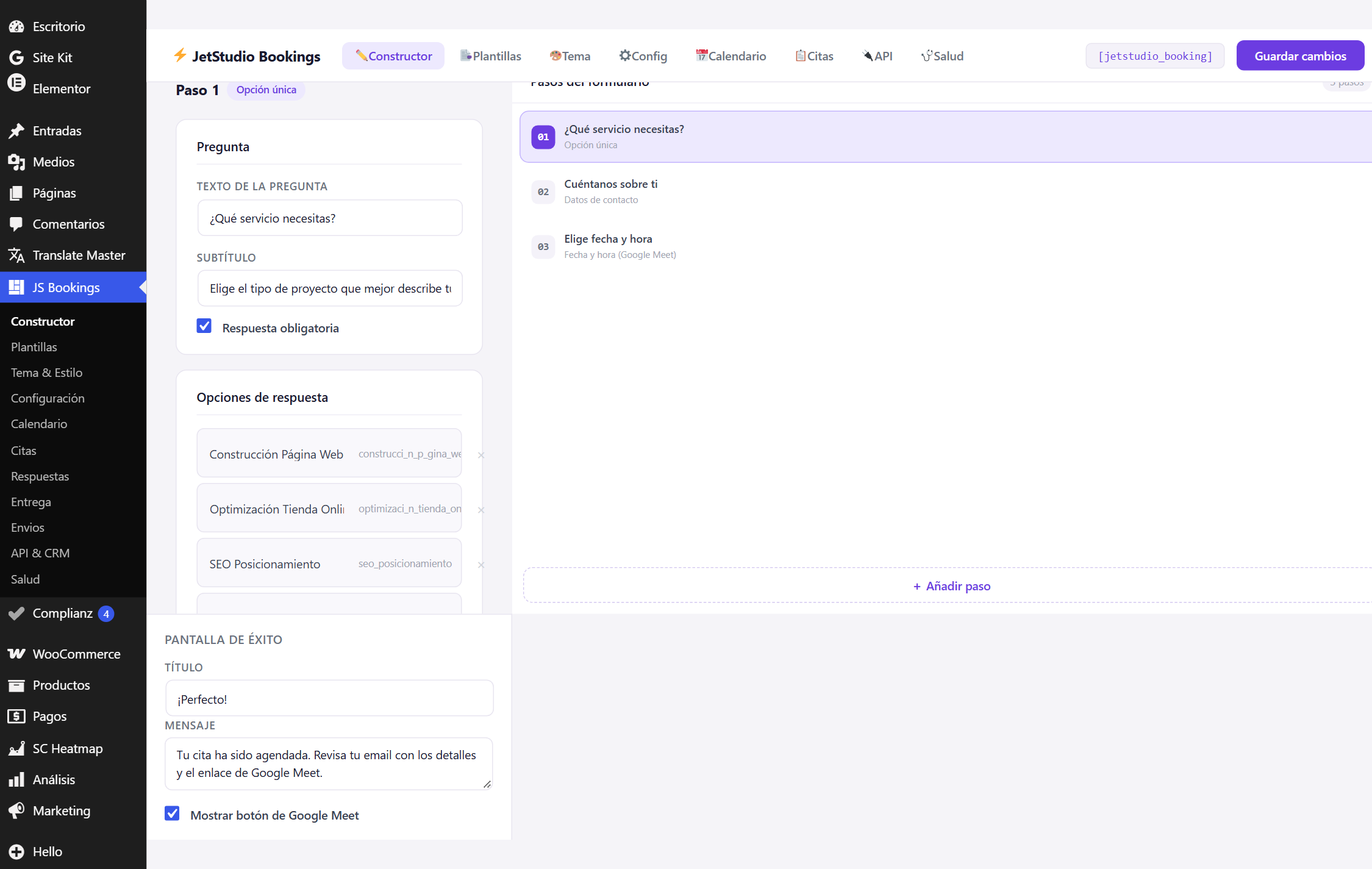
Form builder
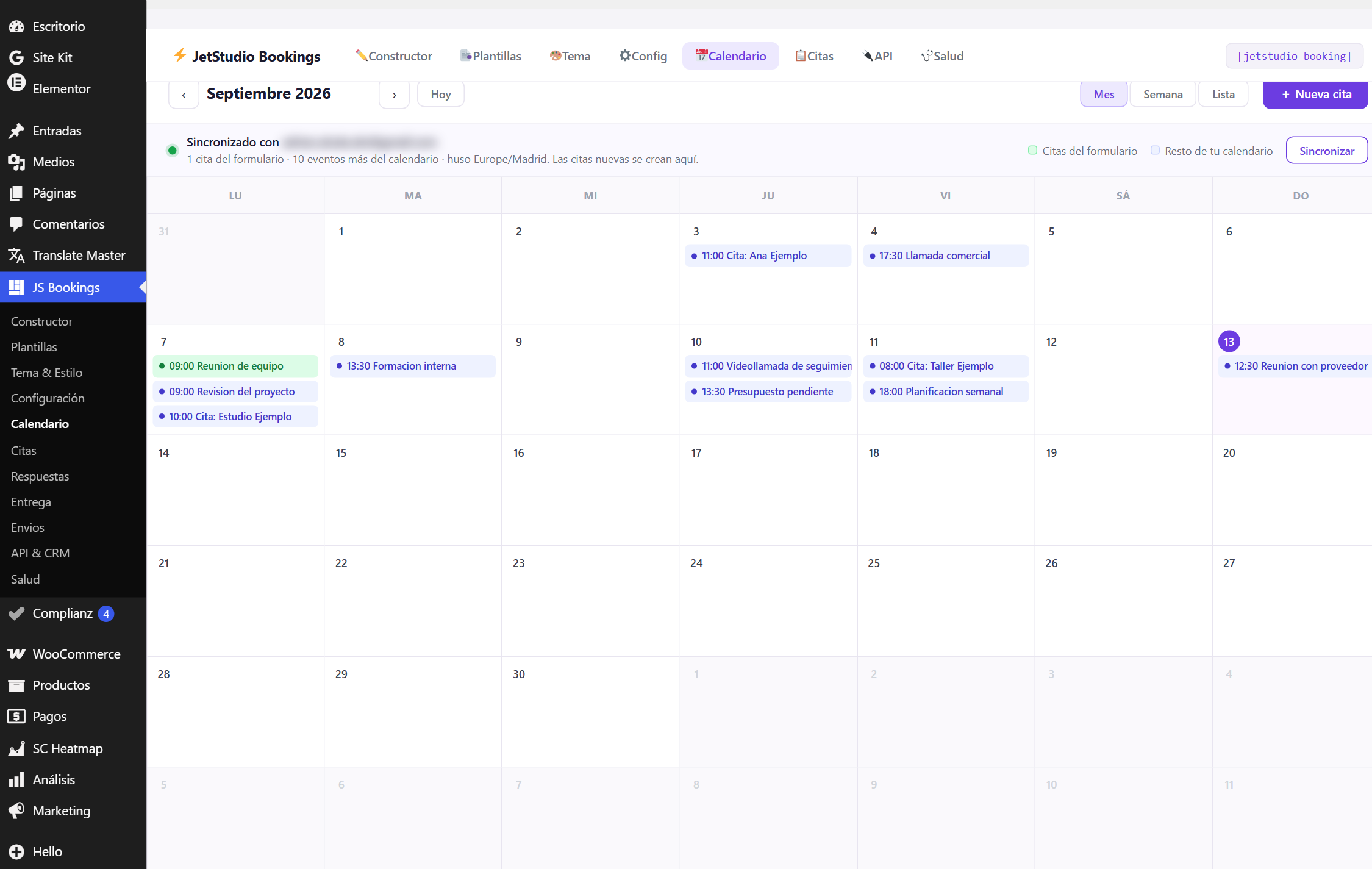
Google Calendar connection
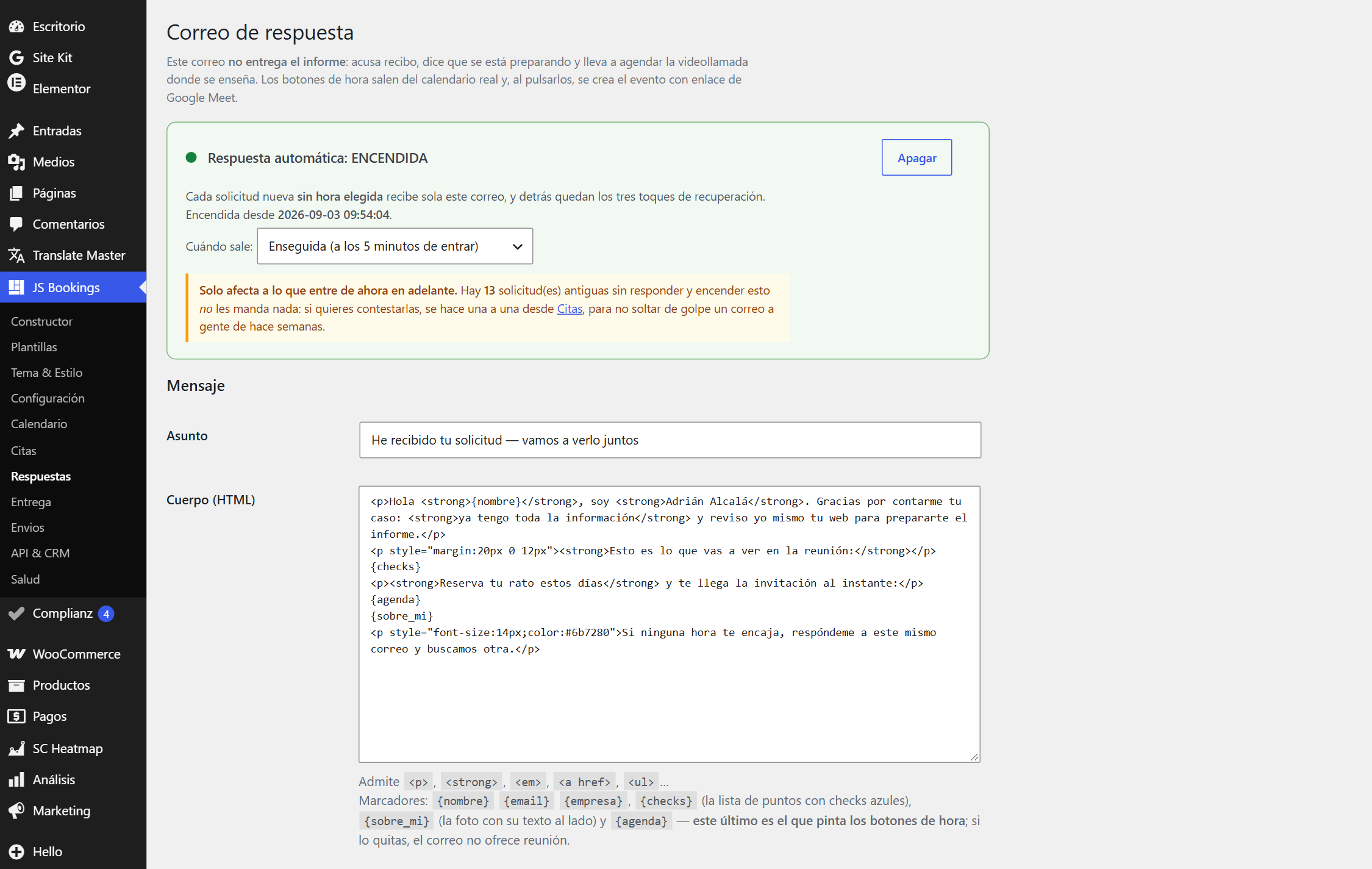
Email templates
Submission history
Health Screen
You sell your time. The form filters before the appointment reaches your calendar.
Clinics, workshops, consultancies: people book by themselves and you stop acting as a switchboard.
You install it on your client's website in ten minutes and charge them for it as an extra feature.
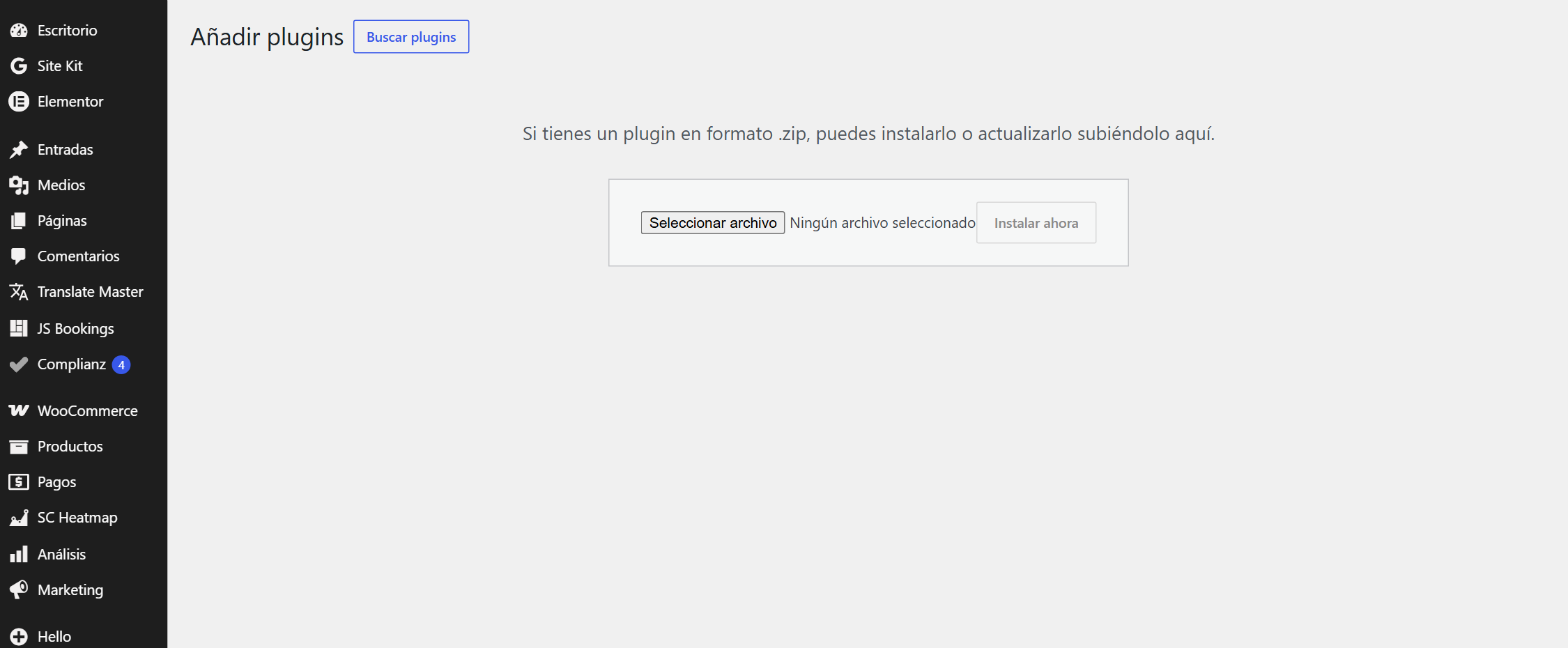
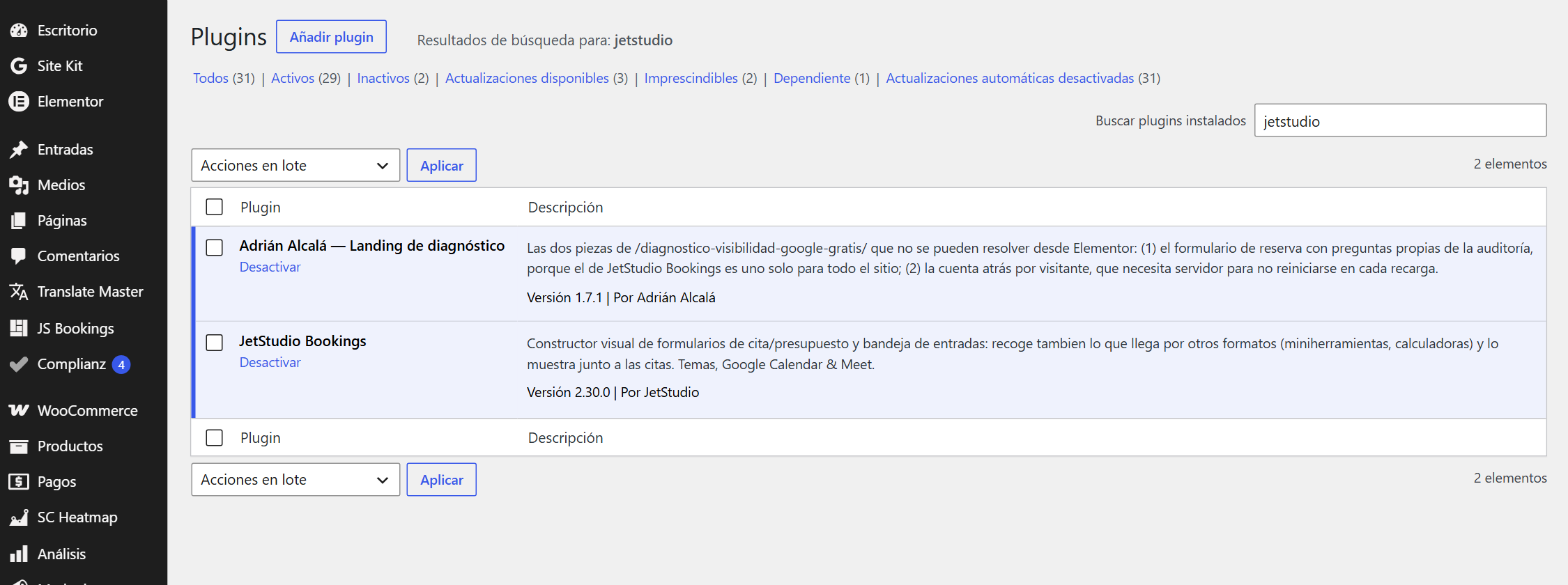
Plugins → Add New → Upload Plugin. The same zip works for one website or for the five included in your license.
The JS Bookings menu appears. There's no twenty-step wizard: the form comes pre-built.
With the Elementor widget or with the shortcode [jetstudio_booking]. And it's already collecting.
Do you prefer to try it before paying? Download the free version — without registration and without expiration.
One-time. You pay once and the plugin is yours. Updates are included for one year; after that year the plugin continues to function the same, it just stops receiving new versions.
The number of WordPress installations where you can use it. The zip is the same in all three cases; what changes is the usage license.
Yes, and it's normal. The Pro version installs on top of the free one: you don't lose the form you've set up nor the requests you've already saved.
No. There's an Elementor widget because it's convenient, but with the shortcode [jetstudio_booking] works on any page or post.
In your own database, in plugin tables. They don't leave your WordPress or pass through any of my servers.
Write to me and I'll refund your money within the first 14 days. It's software: you don't need to explain why.
All the plugins we maintain, with their price and their download, on a single page.
We use technologies such as cookies to store and/or access device information. Consent to these technologies will allow us to process data such as browsing behavior or unique identifiers on this site. Not consenting or withdrawing consent, may adversely affect certain features and functions.