
En cualquier tienda online pasa lo mismo: alguien entra, elige productos, los añade al carrito… y se va sin pagar. Es una venta que casi tenías. La buena noticia es que una parte de esos clientes vuelve si alguien se lo recuerda en el momento adecuado. Esta guía explica cómo recuperar carritos abandonados en WooCommerce: por qué se abandonan, cómo reducirlo y cómo montar unos recordatorios que funcionen sin molestar.
The essentials in 30 seconds
- WooCommerce, tal cual viene, no avisa al cliente que deja un carrito a medias: hace falta un plugin.
- Primero, reduce el abandono: clear shipping costs, payment without mandatory registration, and a short checkout.
- Then, recover: two or three reminders by email or WhatsApp, with a link that returns the cart as it was.
- Measure how many carts you recover and for the sequence as soon as the customer buys.
In this article
- What is an abandoned cart and why it matters
- Why people leaves the cart halfway
- First, reduce abandonment in your own store
- How to recover abandoned carts step by step
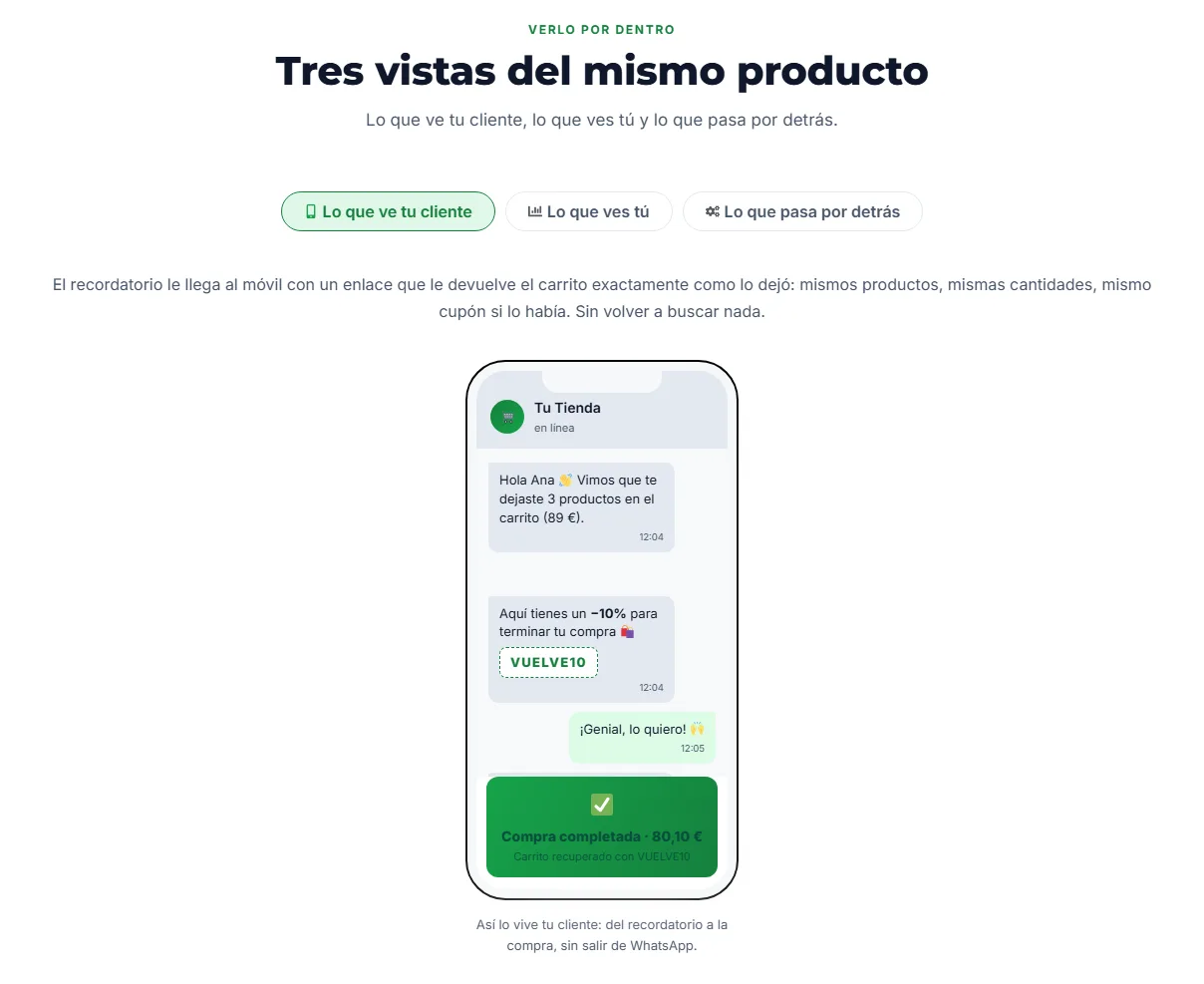
- Email or WhatsApp? When to use each one
- What to measure to know if it works
- Cómo lo resuelve Cart Tool Kit
- Frequently Asked Questions
- Recover sales that you almost had
What is an abandoned cart and why it matters
An abandoned cart is an order that is left halfway: the customer has added products, sometimes even started filling in their details, but has not paid. Unlike a visit that enters and leaves, here there is already a clear purchase intention. That's why it's worth treating it separately.
WooCommerce saves the cart for the duration of the session, but does nothing else. It doesn't know who that person was or write to them to come back. For that, you need a tool that detects abandonment, saves the cart, and sends reminders.
Why people leaves the cart halfway
Not all abandonments can be avoided: some were just comparing or saving ideas. But many have a specific cause in the store itself:
First, reduce abandonment in your own store
Recovering carts works better when the store doesn't put obstacles. Before thinking about reminders, review these points:
| What stops the purchase | How to avoid it |
|---|---|
| Shipping discovered at payment | Show it on the product page or in the cart, and notify how much is left for free shipping if you offer it |
| Mandatory registration | Allow buying as a guest and offer to create the account later |
| Long form | Ask only for the necessary data to charge and ship |
| Limited payment methods | Offer at least card, Bizum, and PayPal |
| Doubts about returns | Clear policy linked from the cart |
If you want to delve deeper into this part, in how to optimize the checkout so they don't leave you have more detail about the payment process.
How to recover abandoned carts step by step
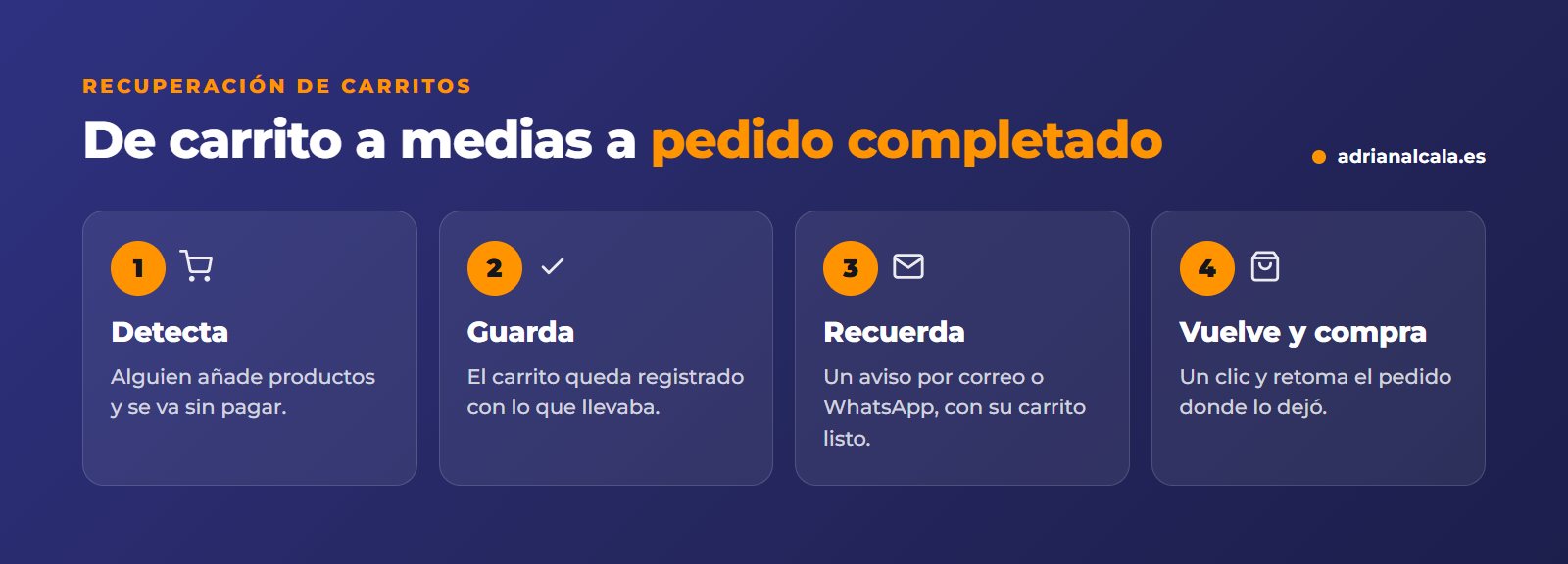
- Get the contact early. The customer's email or phone in the first step of the checkout; without that, there's no one to write to.
- Define when a cart is abandoned. A reasonable time without activity, so as not to write to someone who has only gone for the card.
- Prepare a short sequence. Two or three spaced reminders: the first one soon, when they still remember; the following ones, as a last notice.
- Include a link that restores the cart. One click and they return to payment with their products, without searching for them again.
- Use incentives carefully. A discount in the first notice teaches your customers to abandon to get it. Better to save it for the last one.
- Stop the sequence if they buy. Nothing gives a worse image than a "did you forget something?" after having paid.
- Measure. How many carts are abandoned, how many are recovered, and what those orders add up to.
Watch out for privacy
Writing to someone who hasn't finished their purchase implies using their contact details. Make sure that your privacy policy covers it, that the customer knows they can receive the notice and that they can easily unsubscribe.
Email or WhatsApp? When to use each one
| Correo | ||
|---|---|---|
| The best | Allows showing products, prices, and conditions calmly | It's read immediately and feels more personal |
| To consider | Can end up in promotions or spam | Be brief and don't insist: it's a more personal channel |
| Fits in | Stores with extensive catalogs or thoughtful purchases | Stores with customers who already use WhatsApp for inquiries |
What to measure to know if it works
Cart recovery is one of the few actions in a store that can be measured almost to the penny. Review this data every month:
Cómo lo resuelve Cart Tool Kit
Cart Tool Kit is a WooCommerce plugin that brings together seventeen cart tools in one: among them, abandoned cart recovery, the side cart, and free shipping notices. Each tool is turned on and off separately, so you only load what you use.
It has a free version published on WordPress.org, and the full version is purchased on its own website, where the documentation for each tool is located.

Adrián Alcalá WooCommerce Development
Seventeen cart tools in a single plugin, instead of seventeen plugins fighting among themselves. Stores are already quite loaded.
Frequently Asked Questions
Does WooCommerce recover abandoned carts on its own?
No. WooCommerce keeps the cart during the session, but it doesn't identify who abandons it or send them reminders. For that, you need an abandoned cart recovery plugin.
How many reminders should be sent?
Two or three are usually enough. More than that starts to annoy and can harm your store's image. The important thing is that they are well-spaced and stop if the customer buys.
Should I offer a discount to recover the cart?
Not always. Many customers return with just the reminder. If you offer a discount, it's better in the last notice and not the first, so as not to accustom your customers to abandoning the cart on purpose.
Does it also work for small stores?
Yes. In a small store, every order counts more, and recovery works on its own once configured: it doesn't require daily time commitment.
Recover sales that you almost had
Cart Tool Kit, the plugin to recover abandoned carts in WooCommerce, detects when someone leaves without buying and gives them a nudge to come back and finish the order.
To go deeper
Written by Adrián Alcalá
Web designer in Dénia. If you have any questions about what you have read, write to me.