
Translation plugin for WordPress
WP Translate, the plugin that translates WordPress with AI
WP Translate is my plugin for translating websites made with WordPress: a visual editor where you translate by clicking on the text itself, automatic batch translation with Gemini, DeepL, Google or Yandex, a unique URL per language with its SEO, and compatibility with Elementor, WooCommerce, Yoast, and Rank Math.
It has a free version on WordPress.org and single payment licenses, without fees. The website had to clearly sell that —what's included in each plan and what's not— and demonstrate it: it's translated with the plugin itself.
- 4 AI engines: Gemini, DeepL, Google, and Yandex
- 3 single payment licenses: 1 site, 5 sites, and agency
- 14 days money-back guarantee
- Sector Software: plugin for WordPress
- For whom Freelancers, businesses, those who manage several websites, and agencies
- Project Proprietary product by Adrián Alcalá
- Website languages Spanish, English, and Catalan
What the WP Translate website includes
- Compared plans: Free, one site, five sites, and agency, with what's included and what's not, and the price visible.
- Comparison with the competition: Compared to TranslatePress, WPML, Polylang, and Weglot, in features and price.
- Public documentation: A complete guide with an index, to resolve doubts without writing to support.
- Tutorials: Dozens of step-by-step articles to get the most out of the plugin.
- Purchase and licenses: Store with card payment and a section to move the license from one website to another.
- The website translated with the plugin: The best demonstration: you change the language and see it working.
The design
Electric violet on an almost black blue, with lavender for the details: a modern software aesthetic, clean and with contrast.
- #5B3DF5 violet
- #14102B night blue
- #2E2659 indigo
- #A794FF lavender
- #F8F7FD lavender white
Typography: Sora in titles and DM Sans in text
Multi-language websites for businesses in Dénia
In Dénia, many clients don't speak Spanish. I create multi-language websites for businesses in Dénia and Marina Alta, translated with my own plugin and with a unique URL per language to appear on Google in each one. This is how the visitor decides, as I explain in what a tourist looks at before booking.
The website inside
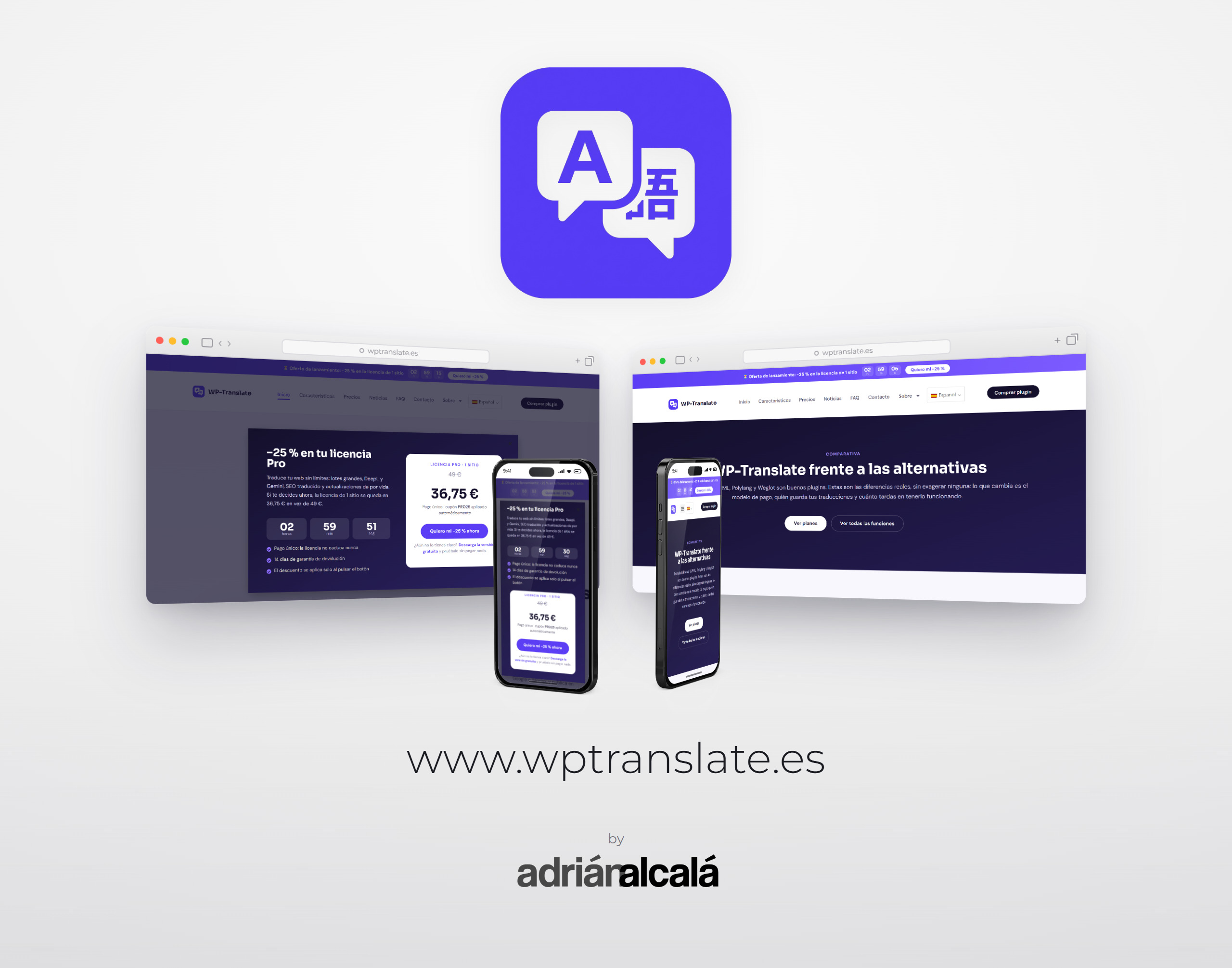
This is how wptranslate.es is today. Above, the beginning of its homepage in video; below, three parts of the website that help decide the purchase.
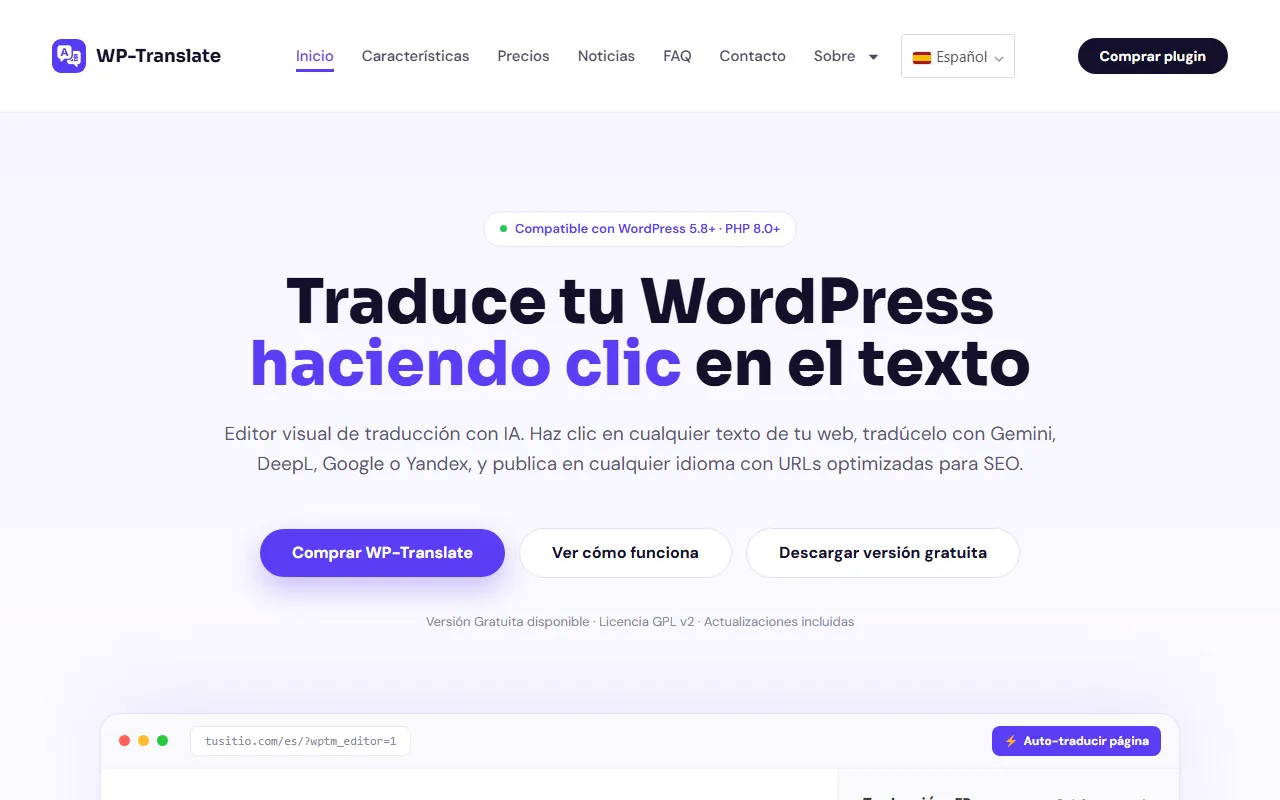
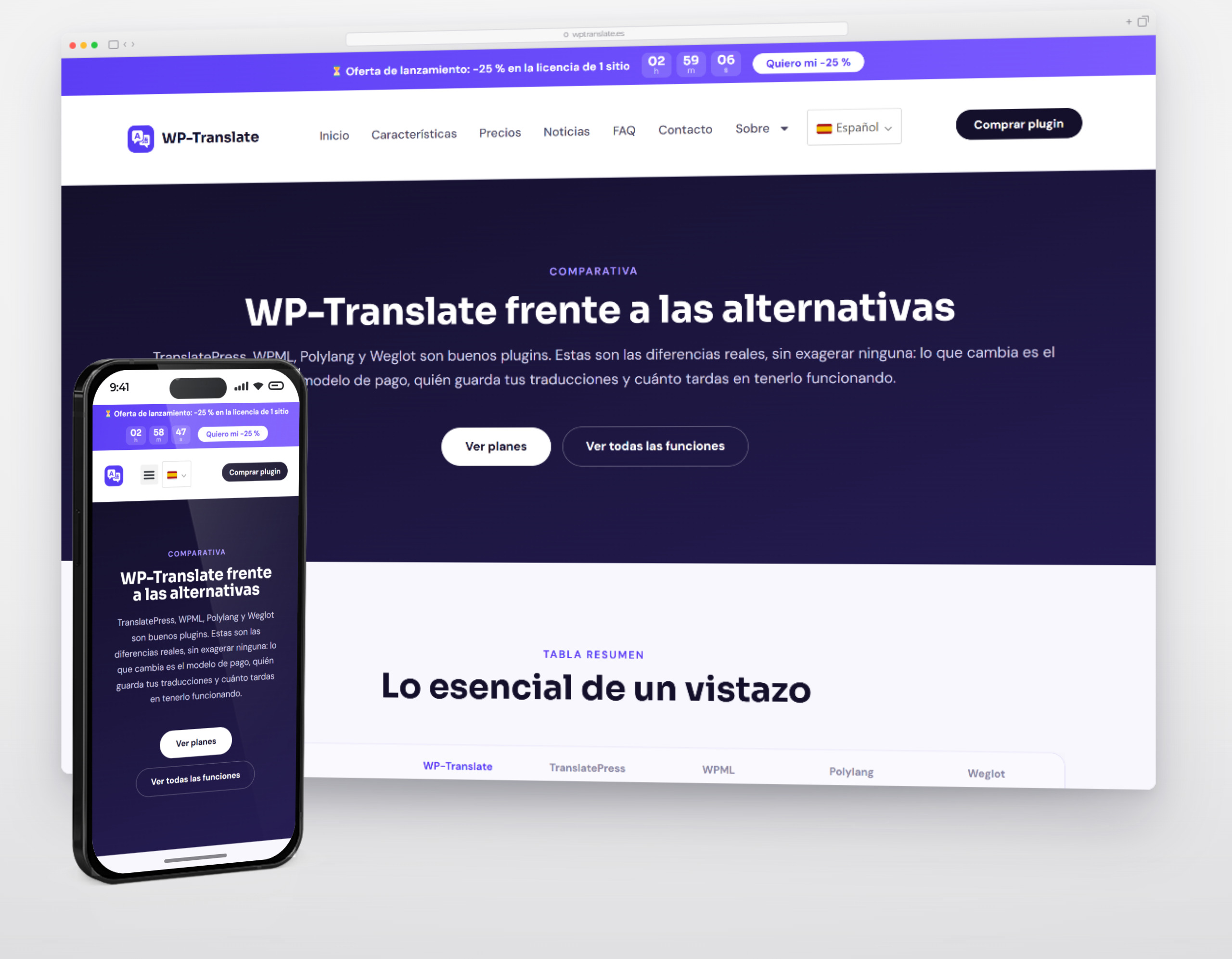
The beginning of the wptranslate.es homepage, as it is today: the editor that translates by clicking on the text, the one-minute video, the three steps, the six reasons and what each language gains in Google.
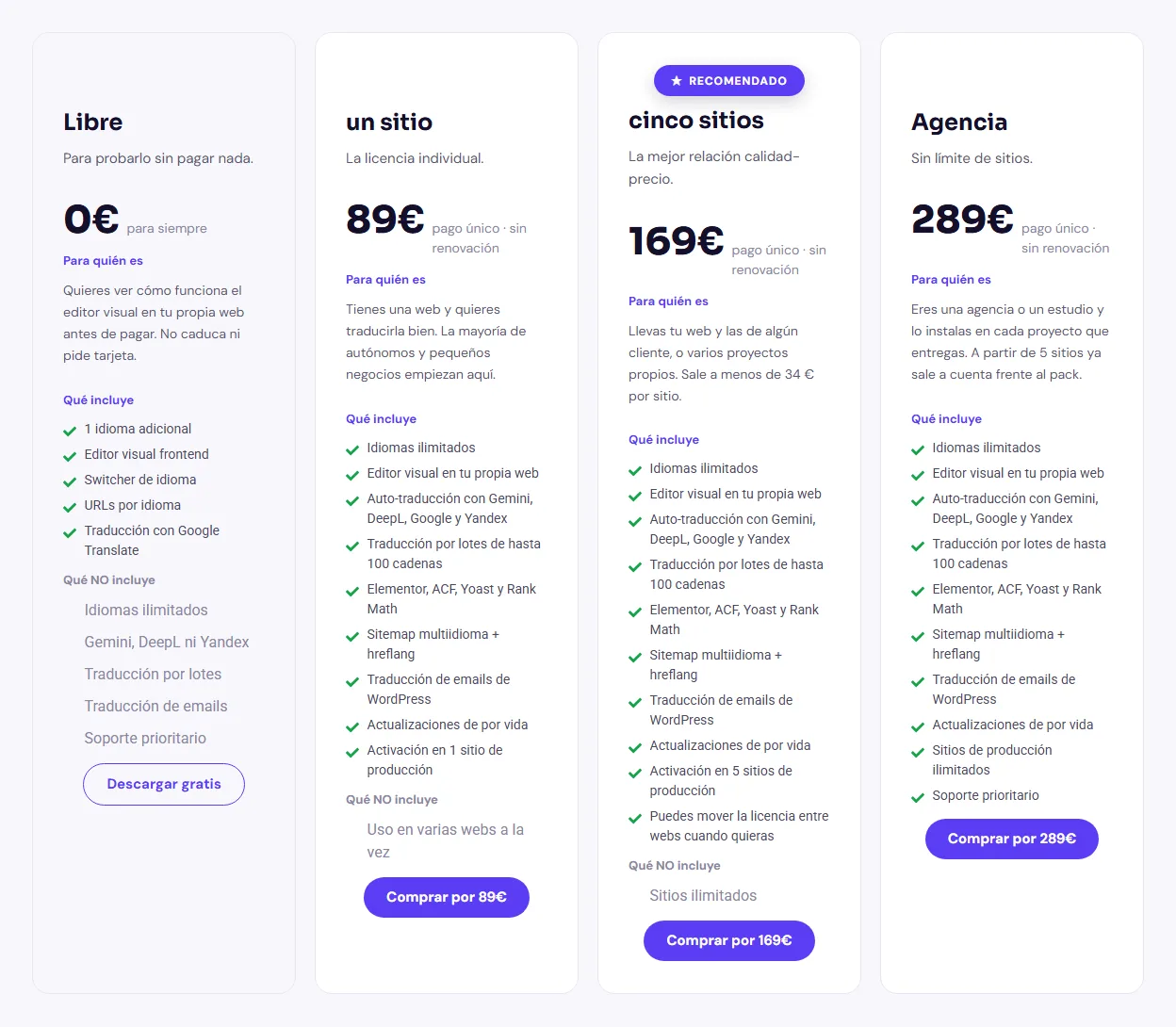
Plans and prices in plain sight: Four plans on one page: Free, forever free, and three one-time payment plans without renewal: one site (89 €), five sites (169 €) and Agency (289 €). Each one states who it's for and what it includes, and the first three also what they don't include, so no one buys blindly. See the prices
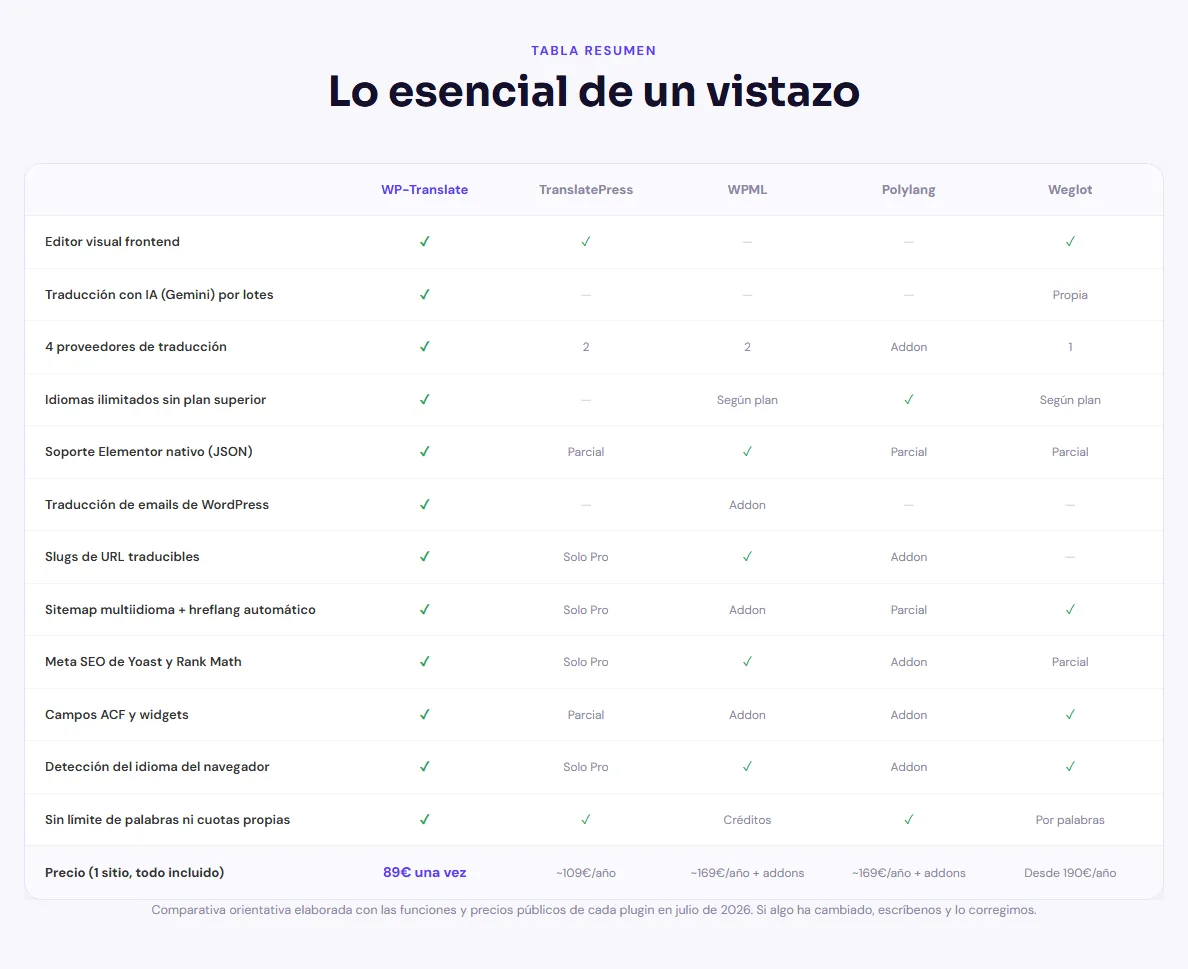
Against the competition: A table places WP Translate alongside TranslatePress, WPML, Polylang and Weglot across twelve features and price: 89 € once versus annual fees. Below it explains how it differs from each one and how to switch from another without losing translations or addresses. See the comparison
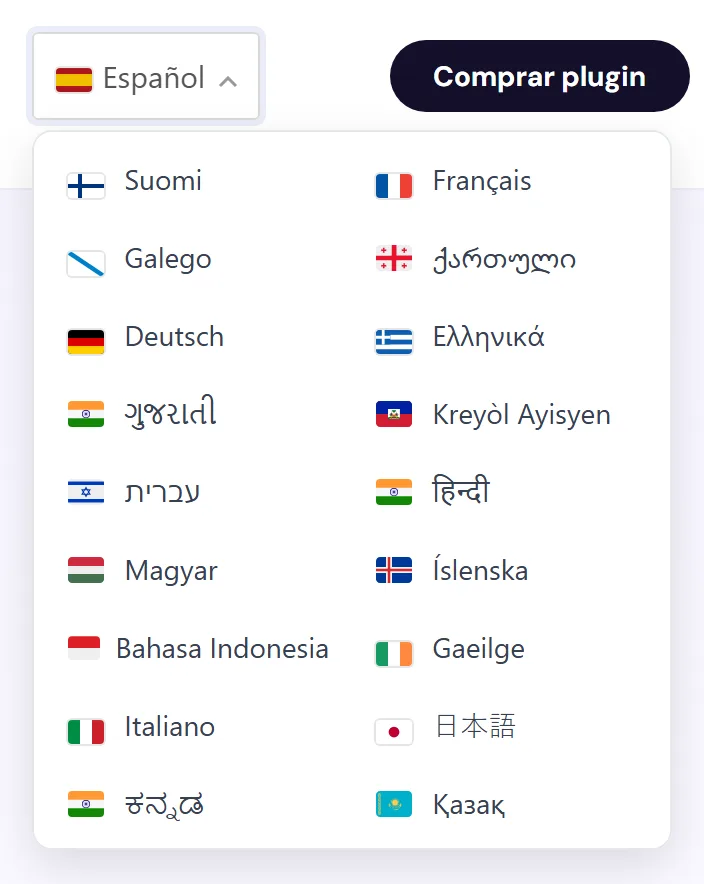
The website, in 77 languages: The header's language selector displays the website's 77 languages, each with its own address (/en/, /fr/, /de/…), which Google indexes separately. See it on wptranslate.es
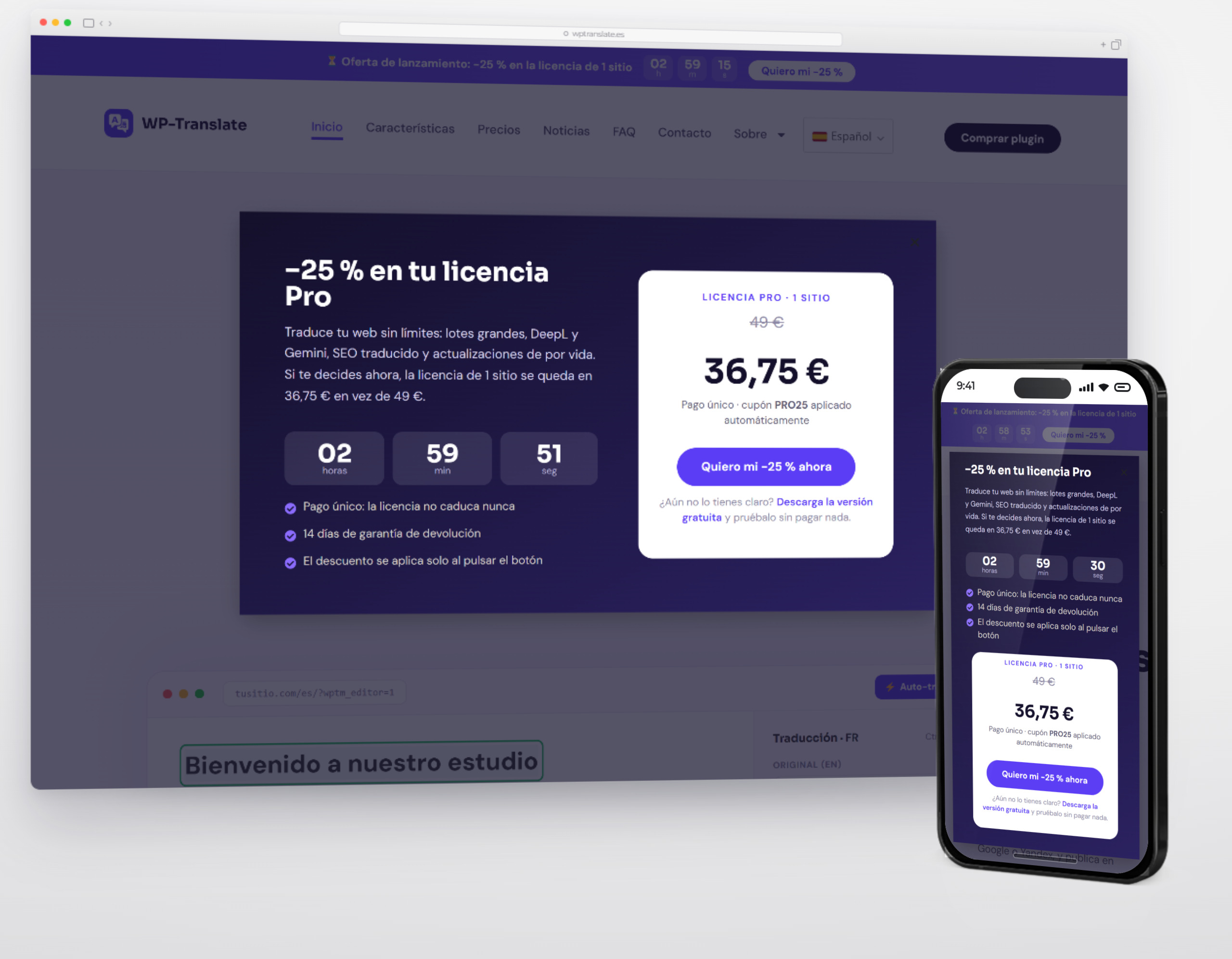
The starting point
The market for WordPress translators is full of products that charge a monthly fee and hide what each plan includes. Those who compare arrive with two questions: what exactly do I get for what I pay, and what happens when something doesn't work.
The solution
A product page that answers both: plan comparison with what's included and what's not, comparison against market alternatives, public documentation and tutorials, frequently asked questions, and clear single payment price.
How it was done
- Features page separate from the sales pitch.
- Plan table without fine print, with the price visible.
- Documentation and tutorials published before launch, not after.
- The website itself translated with the plugin: it's the best possible demonstration.
- Heatmaps and measurement to fine-tune the pricing page.
How it turned out
The visitor compares, resolves their doubts in the documentation, and buys without writing an email. And the multi-language website is, in itself, proof that the product works.
Project type: Product website page · new design
Technology: WordPress · WooCommerce · Elementor Pro · the plugin itself translating the website · heatmaps
Web: wptranslate.es