


En todas las empresas hay tareas que se hacen igual cada día: copiar los datos de un pedido al programa de facturación, contestar el mismo correo con la misma información, preparar el informe de fin de mes o renombrar y archivar documentos. Son necesarias, pero no hacen crecer el negocio. Esta guía explica cómo automatizar tareas repetitivas con IA con método: cómo detectar las que merecen la pena, ejemplos por área, las herramientas que se usan, cómo evitar que un error se repita cien veces y cómo medir el tiempo que de verdad ahorras.
The essentials in 30 seconds
- Se automatizan tareas, no puestos: lo repetitivo pasa a la máquina y el criterio sigue en tu equipo.
- Una buena candidata se repite, sigue reglas, tiene los datos en digital y se puede comprobar.
- Start with a single task, measure how much time it cost before and scale when it works.
- Every automation needs review: if something doesn't add up, it doesn't go through, and it notifies a person.
In this article
What AI brings to traditional automation
Automating is not new. Rules like "if a form arrives, create a contact in the CRM and send a welcome email" have been working for years. What changes with artificial intelligence is that now tasks can also be automated where it was necessary to read, understand, or draft: extract data from a PDF invoice, classify an email according to what it requests, summarize a call, or prepare the draft of a response.
In practice, both things are combined. Classic automation moves data from one program to another, and AI handles the part that previously required a person reading. What doesn't change is the golden rule: if a step cannot be verified, it is not left unchecked.
Examples of repetitive tasks that can be automated
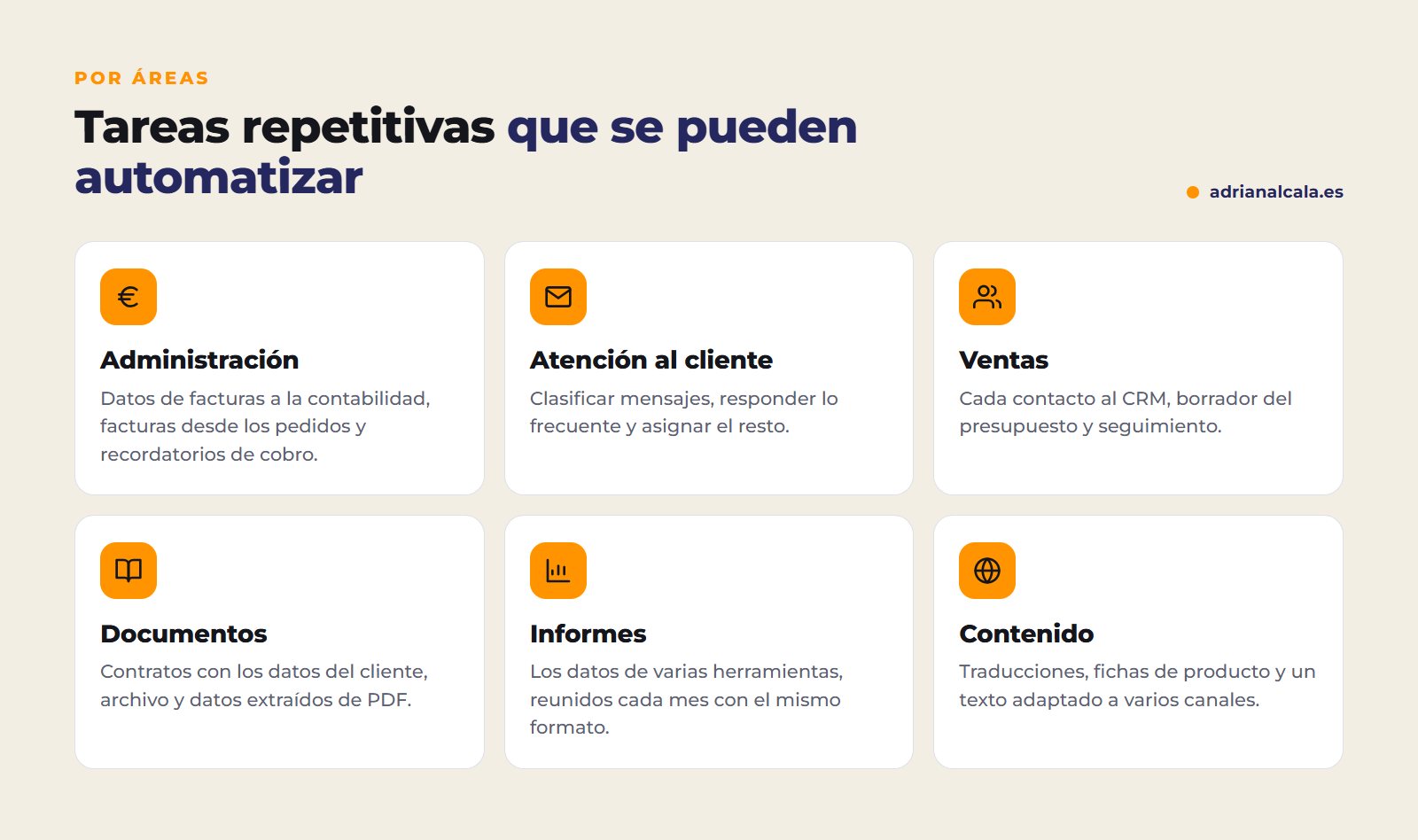
Some examples that already work in our projects: PDF contracts that are generated automatically upon completing an order and sent for online signing; monthly marketing and SEO reports for each client that are prepared automatically at the end of the month; an eight-step audit that launches automatically when a contact comes in through the website, with a supervisor who picks up anything left unfinished; and the translation of complete websites with AI when saving each page.
How to choose what to automate first
Not everything is worth it. Before choosing a tool, dedicate a week to noting down repetitive tasks and how long they take. Then, score each one with these questions: how many times is it done?, how long does it take each time?, does it follow clear rules?, is the data already digital?, can the result be checked to see if it's correct? The one that adds up the most hours and best meets the rest is usually the best first pilot.
| Task | Frequency | Clear rules | First candidate? |
|---|---|---|---|
| Transfer web orders to the billing program | Every day | Yes | Yes |
| Answer the same questions by email | Every day | Almost always | Yes, with review |
| Prepare the monthly sales report | Every month | Yes | Yes |
| Draft custom quotes | Every week | Halfway | Only the draft |
| Handle a complaint | From time to time | No | No: it's a one-person job |
Illustrative example: does not correspond to any client.
The method, in five steps
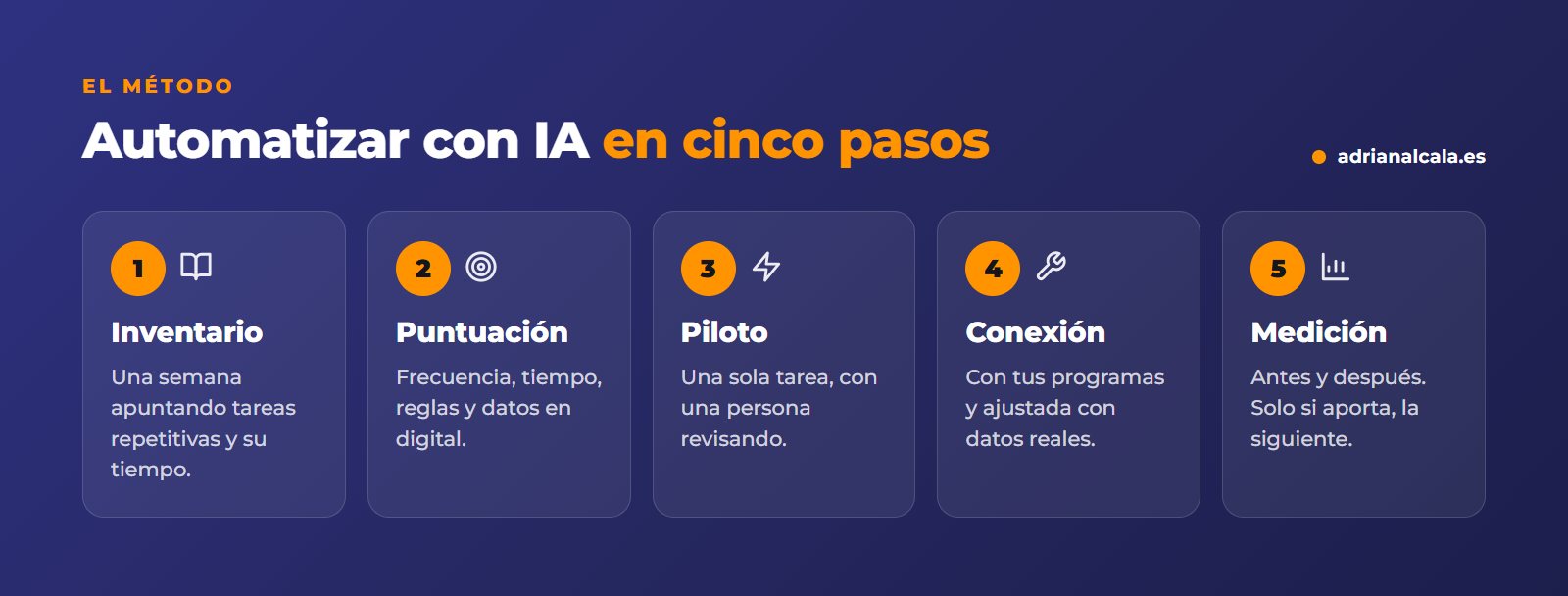
- Inventory. One week noting repetitive tasks, who does them, and how long they take.
- Scoring. Frequency, time, rules, digital data, and if the result can be checked.
- Pilot. A single automated task, with one person reviewing each result at the beginning.
- Connection and adjustment. It connects with your real programs and adjusts with real data, including rare cases.
- Measurement and scaling. It is compared with the starting point and, only if it contributes, the next task is moved to.
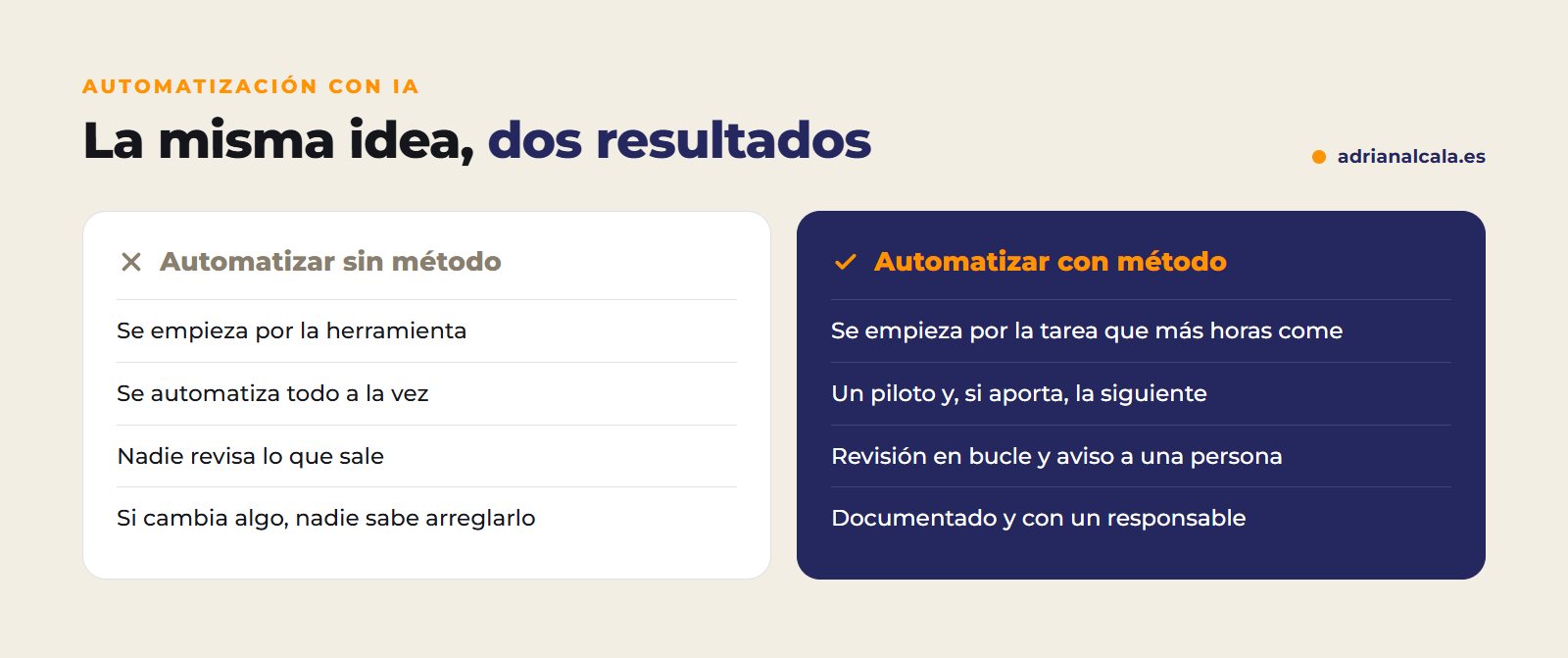
The loop review
It's what allows automation without fear. The AI receives the task, executes it, and reviews its own result before delivering it: checks data, dates, and consistency. If something doesn't add up, it corrects it and checks again; if after several attempts it doesn't resolve it, it doesn't send it and notifies a person. And each step is recorded, to always know what was done and why.
With what tools is automated
There are three levels, and the most complex is not always necessary:
- The programs you already use. Many have their own automations that no one has activated: email rules, CRM flows, billing reminders. That's the first thing to look at.
- Automation platforms. Tools like Zapier, Make, or n8n connect programs with each other and can call AI at any step. They serve for most SME processes.
- Custom developments. When the process is specific to your business, handles a high volume, or an error is costly, it is custom-built, with its loop review, retries, and logging.
Customer data and internal documents
Before automating, review where the data is processed, who has access, and what your privacy policy says. Do not paste customer data or confidential documents into free tools without knowing what they do with them. Automating does not exempt from complying with data protection.
How to measure the time you save
The calculation is simple: times per month × minutes per time. For example, if someone manually processes twenty orders a day and takes three minutes for each, that's sixty minutes daily, about twenty hours a month on a single task. After automating, do the same calculation counting the review time, which is not zero at first.
Illustrative example: does not correspond to any client.
Besides time, look at the errors (how many times something needs to be corrected and how many times the system alerts), the response time to the customer and what your team does with the freed hours. If it's not noticed anywhere, perhaps it wasn't the right task.

Adrián Alcalá Automation and AI
If a task is repetitive and follows rules, it can probably be automated.
Mistakes when automate tasks
- Automating a messy process. If it already fails manually, it will fail faster when automated. First, it's ordered, then it's automated.
- Wanting to automate everything at once. One task well done teaches more than ten half-done.
- Forgetting the rare cases. The order with a special discount or the customer without a tax ID exist. What doesn't fit the rules has to go to a person.
- Not having a responsible person. Someone on your team needs to know the process and review the results, especially at the beginning.
- Not leaving it documented. If only one person knows how it works, the day something changes, no one will know how to fix it.
Frequently Asked Questions
What is the difference between automating and using AI?
Automating is making a task execute itself following rules. AI adds the ability to read, understand, and write, so tasks that previously required a person reading an email or a document can be automated. The normal thing is to combine the two.
Do I need to know how to program?
For simple automations, no: automation platforms are configured without code. For processes with high volume, multiple programs, or where an error is costly, it's advisable for someone experienced to set it up and include review and logging.
Is it safe to automate with customer data?
Yes, if done well: you choose where the data is processed, who accesses it, how long it is stored, and it is informed in the privacy policy. What's risky is improvising with free tools without control.
What happens if the process changes?
The automation is adjusted. That's why it's important that it's documented and has a responsible person: processes change, and automation has to change with them.
When are the savings noticed?
From the first automated task, if chosen well. That's why you start with the one that consumes the most time: the savings are seen soon and help decide the next one.
What task takes up more hours?
In half an hour, we review with you the tasks that are repeated in your company and tell you which one we would automate first and how. Free and without obligation. We do the process automation with AI in stages, connected with your programs and always with a review before delivery. We are in Dénia: if your company is in Marina Alta, we'll see it in person.
To go deeper
Written by Adrián Alcalá
Web designer in Dénia. If you have any questions about what you have read, write to me.