
Unanswered calls are clients who call the next one on the list. It happens when you are attending to another person, when the phone is busy, or outside of business hours. An virtual AI receptionist is a voice agent that answers those calls for you: it understands what they say, responds with your business information, collects the data, schedules the appointment, and leaves you a written summary. In this guide, you will see what it is exactly, how it differs from a voicemail or a switchboard, how it is set up without changing your number, and what limitations answering calls with AI has.
The essentials in 30 seconds
- An AI receptionist converses: it doesn't give fixed options, it understands what they say and responds with your information.
- It can schedule appointments in your calendar, collect data and transfer the call to your team when necessary.
- Normally no need to change numbers: calls you can't answer are diverted.
- It has to notify that it is an AI and process data according to data protection regulations.
In this article
What is a virtual AI receptionist and what it is not
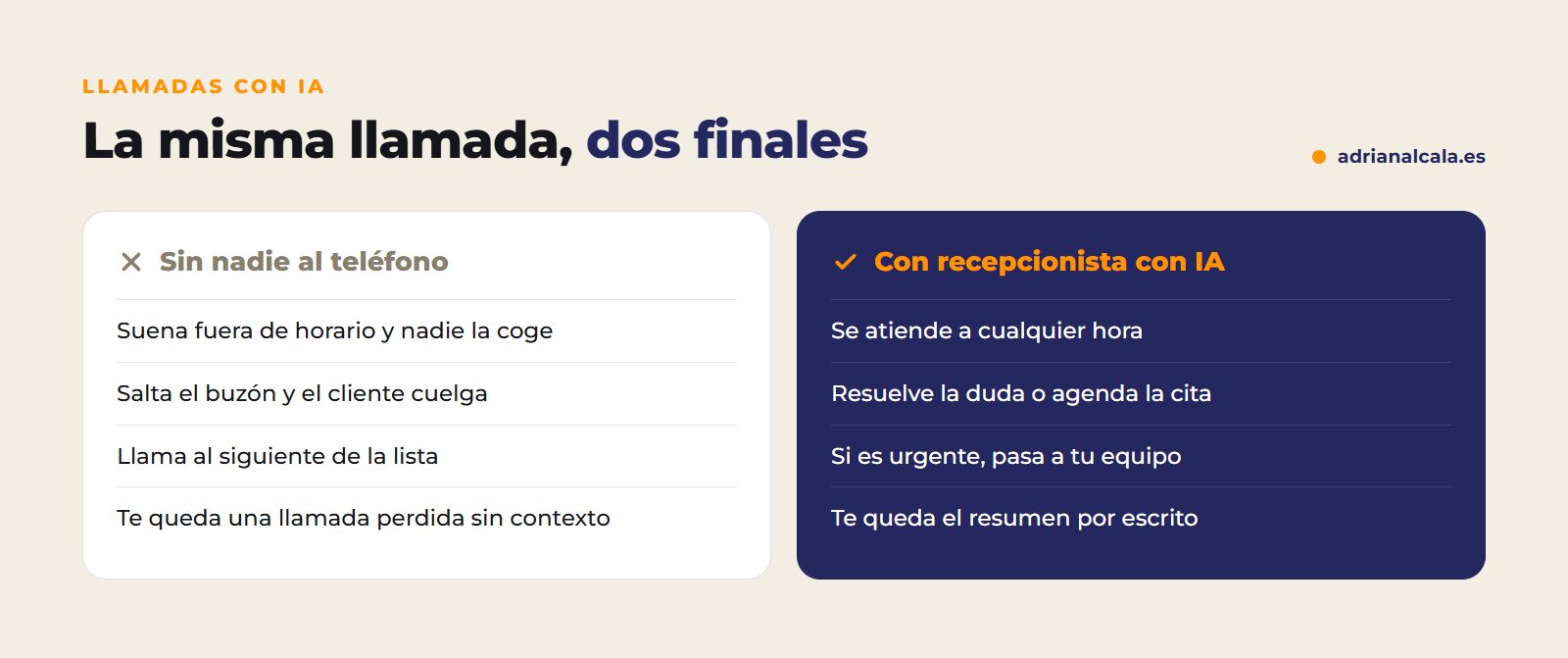
It's a voice agent connected to your phone. When a call comes in that you can't answer, it picks up: it greets with your business name, listens to what the person needs, and acts. If it asks about the hours or price of a service, it answers. If it wants an appointment, it checks your calendar and schedules it. If it's something a person needs to handle, it collects the data or transfers the call. When hanging up, it leaves you a summary of what was discussed in your system.
| Voicemail | Switchboard with menu | AI receptionist | |
|---|---|---|---|
| Outside of business hours | Records a message | Gives fixed options | Converses and resolves |
| Frequently asked questions | Does not answer them | Only with recorded messages | Answers them with your information |
| Appointments | No | No | Schedules them in your calendar |
| What you have left | An audio to listen to | Nothing | A written summary |
| Transfer to a person | No | By extensions | When necessary, with context |
Nor should it be confused with the features that some mobile phones have to answer calls with AI. These features answer for you to ask who is calling and why before you pick up; they serve to filter calls, not to attend to business clients with their information, their schedule, and their rules.
What it can do for your business
In which businesses fits best
Fits in any business where the phone rings more than can be answered and calls are similar to each other. For example:
- Appointment-based businesses: clinics, physiotherapy, hair salons, workshops. A good portion of calls are to request, change, or cancel an appointment.
- Home services: renovations, maintenance, repairs. The agent takes the address and the problem, and your team arrives at the appointment knowing what needs to be done.
- Offices and consultations: filters calls, takes the reason, and schedules the first conversation with the appropriate person.
- Hospitality: table reservations during hours when no one can answer the phone.
How it's set up in operation
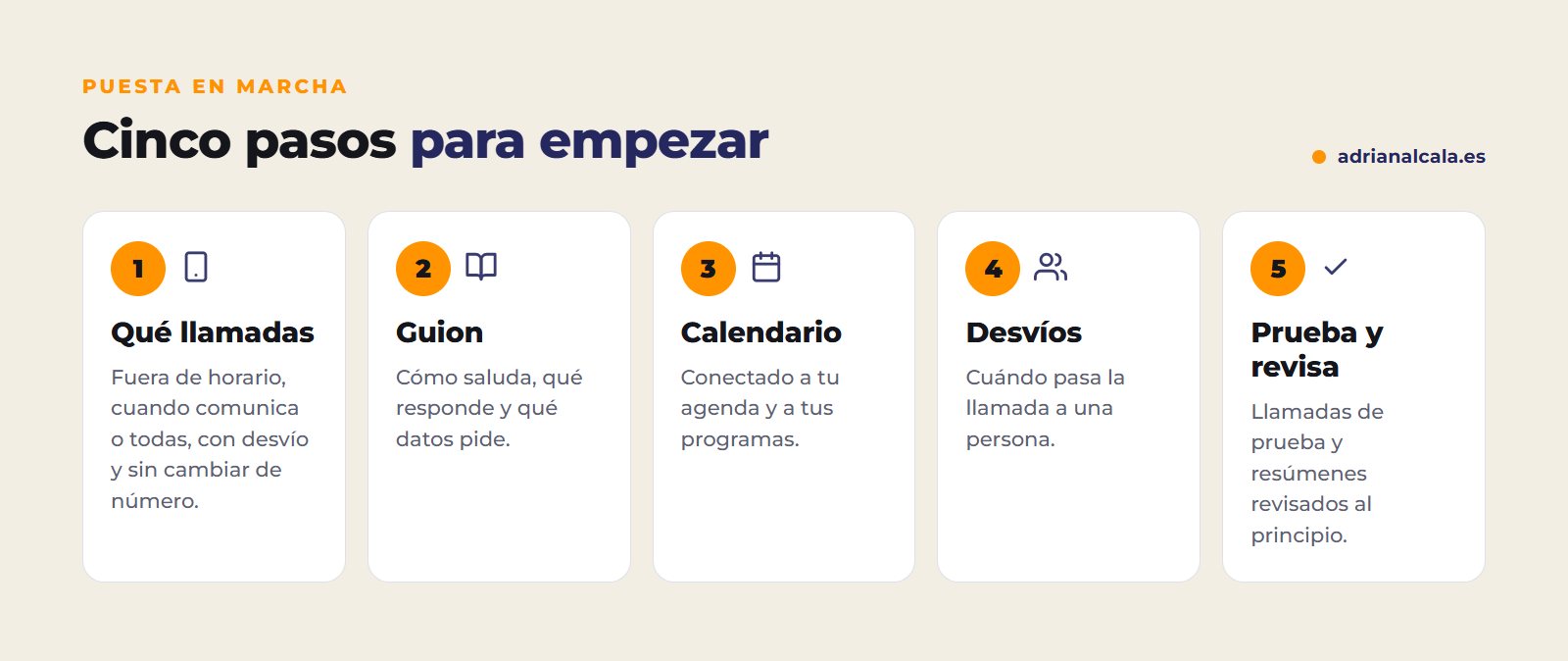
- Decide which calls it handles. Only after hours, when you are busy or don't answer, or all. Normally, a diversion is configured from your line, so your clients continue to call the usual number.
- Prepare its information and script. How it greets, what it can answer, what data it asks for, and what it should never say.
- Connect your calendar and your programs. So that it schedules in real slots and leaves the summary where your team works.
- Define when it transfers to a person. Emergencies, clients who request it, queries that fall outside its rules.
- Test and review. Test calls first and, in the first few weeks, review of summaries to adjust whatever is needed.
Essential notices
European artificial intelligence regulations require the person to know they are speaking with an AI, so the agent states this at the beginning. And if the call is recorded or transcribed, this must be informed, as well as how the data is used, as in any personal data processing. A brief and clear notice at the start of the call resolves both issues.
What should not do
- Holding an urgency. Urgent matters are immediately diverted to a person, without more questions than necessary.
- Inventing. If it doesn't have a piece of data, it says so and takes note for someone to call. It never invents a price or a deadline.
- Handling delicate conversations. A complaint, bad news, or a negotiation are matters for your team.
- Impersonating a person. Besides being mandatory to notify, the client trusts more when they know who they are talking to.

Adrián Alcalá Automation and AI
Let AI do the repetitive. Your team, the important stuff.
How much does it cost an AI receptionist
Like any AI integration, it has two parts. The setup: prepare the script and information, connect the calendar and your programs, configure the diversion, and test it. And a recurring cost which depends on how many minutes of calls it handles: voice and AI are paid per use. That's why it's convenient to calculate it with your real call volume, and especially with those that are lost today, which are the ones that justify the investment.
How to know if it is working
Frequently Asked Questions
Do I have to change my phone number?
Normally no. The calls you decide are diverted to the agent (after hours, when busy, or when not answered) and your clients continue to call the usual number.
Does it sound like a robot?
Current voices are very natural and understand those who speak normally well. Even so, the agent warns at the beginning that it is an AI assistant, and anyone can ask to be transferred to a person.
What happens with urgent calls?
They are defined from the beginning: as soon as the agent detects an urgency, it diverts the call to the on-call person or takes the data for them to call immediately, according to what you have decided.
Can it handle multiple languages?
Yes. It can respond in the caller's language, with the same information and rules, something very useful in areas with tourism or foreign residents.
Can it make calls in addition to receiving them?
Yes: confirm appointments, remind of a visit, or return a missed call. In calls you initiate, the person's consent and commercial communication rules must be respected even more.
How many calls you miss?
In half an hour, we review with you how your clients call you, what calls an agent could handle, and how it would fit with your schedule. Free and without obligation. AI calls are part of our artificial intelligence integration for companies in Dénia and from all over Spain, along with WhatsApp agents and process automation.
To go deeper
Written by Adrián Alcalá
Web designer in Dénia. If you have any questions about what you have read, write to me.