

Everyone talks about artificial intelligence, but in a small business the question is much more specific: how does it save me time, this week? The answer is almost never "in everything". It is usually in very specific tasks that are repeated every day. This guide reviews the practical uses of the artificial intelligence for SMEs, how to choose where to start and how to do it without jeopardizing customer service.
The essentials in 30 seconds
- AI works best in tasks repetitive and with clear rules: answer frequent questions, take reservations, transfer data from one program to another.
- Start with a single process, the most time-consuming one, and expand when it works.
- What is automated has to be reviewed: if something doesn't add up, it must notify a person.
- Important decisions remain in the hands of your team.
In this article
What AI can do in a small business
AI is not a single tool, but a capability that integrates into what you already use: your WhatsApp, your phone, your website, your email or your management software. In an SME, where each person does several things at once, its value lies in remove the repetitive so that the team dedicates its time to what truly requires judgment.
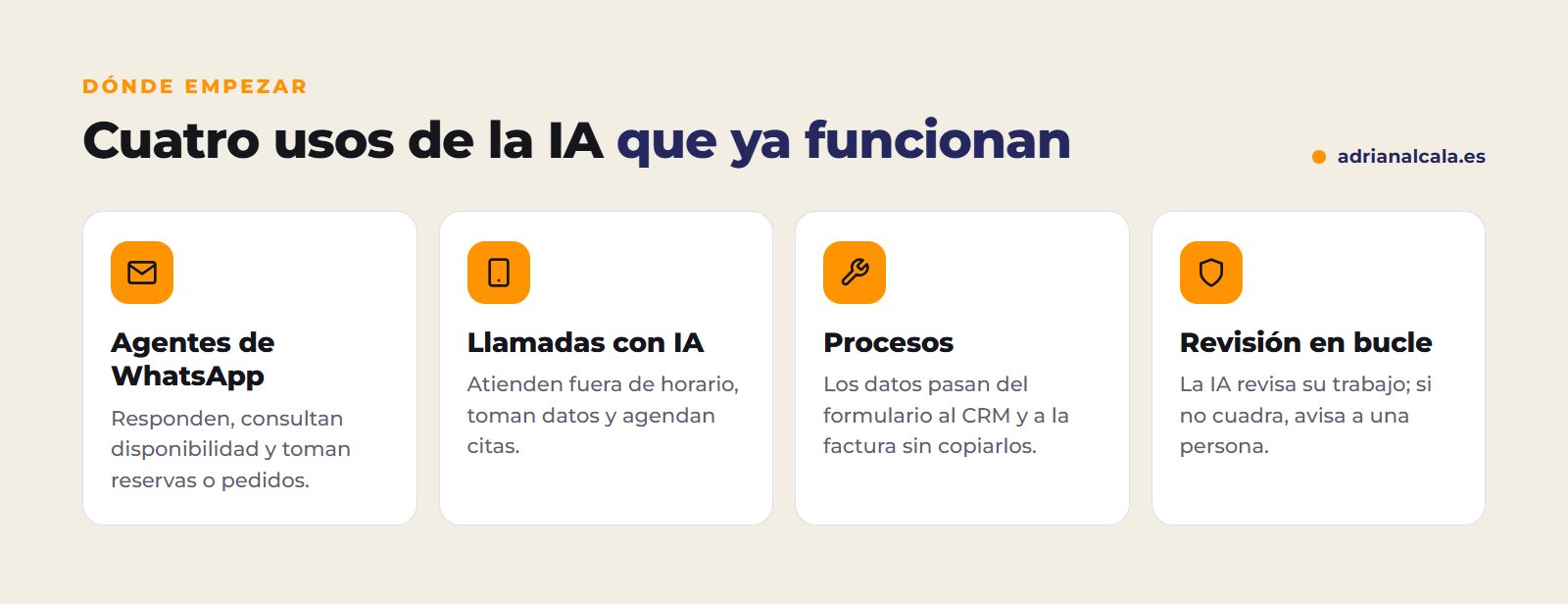
Four practical uses to get started
1. WhatsApp agents
They attend to your customers via WhatsApp at any time: they check availability, take reservations or orders and send the payment link. If the conversation gets complicated, they pass it to a person. An example of a real project: a booking agent for a coworking space that attends in four languages, checks available rooms and, before sending the response, verifies that the date and room match.
2. AI calls
A voice agent answers or makes calls: resolves doubts, takes data, schedules appointments and leaves a summary of each call in your system. It is especially useful outside of business hours, when today those calls are lost.
3. Process automation
It is the least striking use and, often, the one that saves the most time. Connecting forms, email, CRM, invoicing and spreadsheets so that information passes from one to another without copying it by hand: an order that generates its PDF contract and sends it for signature, or the reports for each client that prepare themselves at the end of the month.
4. Automatic loop reviews
AI reviews its own work before delivering it. If something doesn't add up (a date, a price, missing data), it corrects it and checks it again; if it doesn't resolve it, it notifies a person. This is what allows automation without fear of an error reaching the customer.
It can also be brought to your website: assistants that respond with your business information, after-hours support or contacts that arrive already qualified. You have it in AI functions for your website. And if your case is to have the website in several languages, in how to translate WordPress with AI I explain it step by step.
How to know what task to automate
Not everything is worth it. A task is a good candidate if it checks most of these boxes:
| Task | Can it be automated? | Why |
|---|---|---|
| Answer schedule, prices and availability | Yes | They are repeated questions with known answers |
| Take reservations or orders | Yes, with review | It follows rules, but it's advisable to check before confirming |
| Transferring data from a form to the CRM and to the invoice | Yes | It's copying information between programs |
| Drafting budgets | In draft | The AI prepares the basis; you review and send |
| Handling a delicate complaint | No | It needs empathy and decisions that must be made by a person |
How to implement it in stages
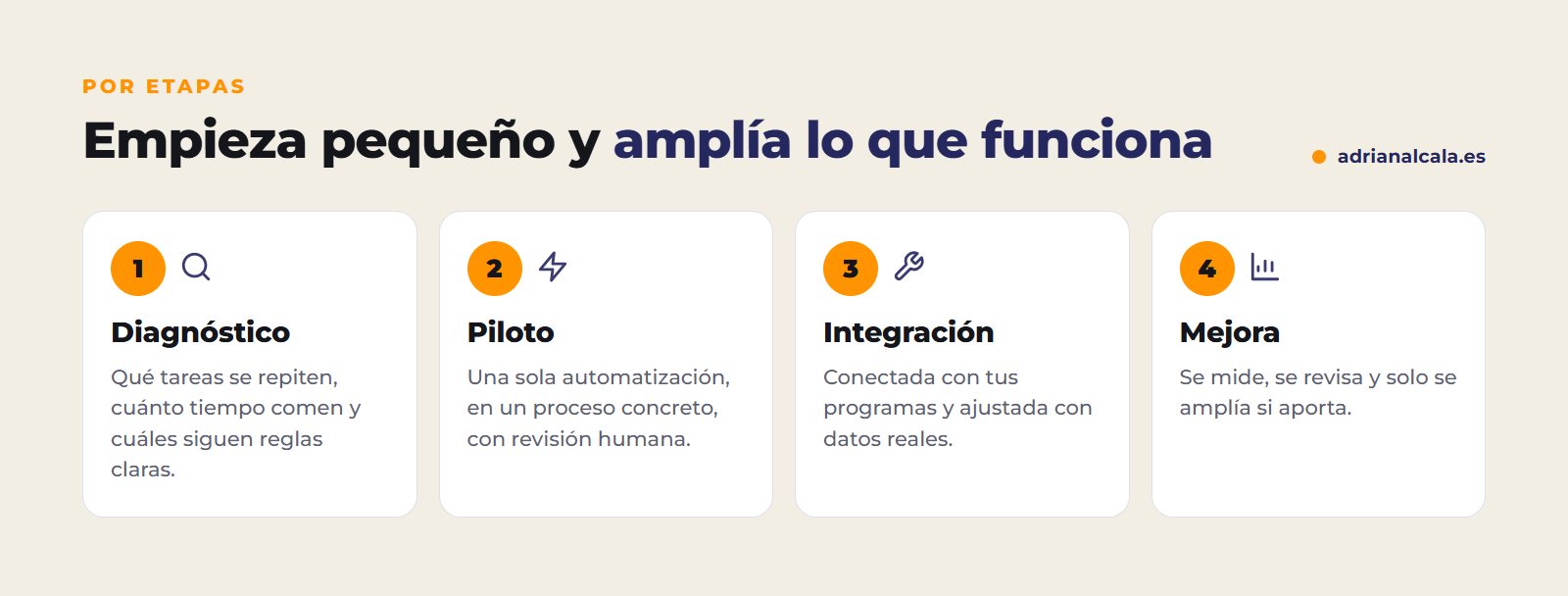
The most common mistake is wanting to automate everything at once. It works much better to start with the most time-consuming process, implement it with human review, connect it with your programs and adjust it with real data. Only if it adds value, expand to the next one.
Personal data
If the AI is going to handle your customer data (names, phone numbers, orders), review where they are processed and who has access, and that your privacy policy reflects it. Automating does not exempt from complying with data protection.
How to measure if it's saving you time
Before implementing an automation, note how that task is done today. Without that starting point, there's no way to know if it was worth it. Measure at least this:
Mistakes when starting with AI
- Starting with the tool and not the problem. First, what task you want to get rid of; then, with what.
- Automating without review. An error repeated a thousand times is worse than a thousand tasks done by hand.
- A generic chatbot. If it doesn't know your services, prices and conditions, it responds with generalities and frustrates the client.
- Not measuring before and after. Without knowing how much time the task cost, you won't know if it was worth it.

Adrián Alcalá Automation and AI
What we integrate into other companies already works in ours: audits, reports and translations that are done automatically, with a review before going out.
Frequently Asked Questions
Do I need to change the programs I already use?
Normally no. The idea is to connect the AI with what you already use (WhatsApp, email, CRM, invoicing, spreadsheets) and adapt it to your way of working, not the other way around.
What happens if the AI makes a mistake?
That's why well-done automations include review: the AI checks its result and, if something doesn't add up, it notifies a person instead of sending it. For delicate tasks, there is always someone who validates.
Is AI going to replace my team?
What it replaces are repetitive tasks, not people. The time it frees up can be dedicated to serving better, selling more or doing what is left undone today.
Where do I start if I don't know what to automate?
For a week, write down the tasks you repeat and how long they take. The one that adds up the most hours and follows clear rules is usually the best first pilot.
Do I need my own technical team to use AI?
No. The integration can be done by an external team and left working with your tools. What you do need is someone from your company who knows the process and reviews the results at the beginning.
What task would you you would get rid of?
We do the integration of artificial intelligence in your company in stages: WhatsApp agents, AI calls, process automation and automatic reviews. We send you the proposal in writing, without obligation.
To go deeper
Written by Adrián Alcalá
Web designer in Dénia. If you have any questions about what you have read, write to me.