


Si das citas por teléfono o por WhatsApp, conoces la rutina: mensajes a deshoras, idas y vueltas para encontrar un hueco y alguna cita que se olvida apuntar. Un sistema de citas online en tu web resuelve justo eso: el cliente elige el hueco que le va bien, cuando le va bien, y tú lo recibes ordenado. En esta guía verás qué debe tener, cómo ponerlo en marcha y en qué fijarte para que la gente lo termine en vez de abandonarlo a medias.
The essentials in 30 seconds
- Un sistema de citas no es un formulario de contacto: enseña tus huecos libres de verdad y confirma solo.
- Lo que más reduce los abandonos es pedir first what and when, and the name and email at the end.
- Los automatic reminders avoid forgotten appointments without you having to call anyone.
- If the system lives on your WordPress, the data and visits stay on your website.
In this article
- Qué es (y qué no es) an online appointment system
- What it should have a good appointment system
- Which businesses they notice it more
- How to set it up step by step
- The emails that accompany the appointment
- External platform or within your website?
- Cómo lo resuelve JetStudio Bookings
- Frequently Asked Questions
- Stop giving appointments by phone
Qué es (y qué no es) an online appointment system
A "request an appointment" form that reaches you by email is not an appointment system: the client proposes a time, you reply, sometimes it doesn't suit you, you reply again... It's the same back and forth as on the phone, but in writing.
A real appointment system consult your agenda before offering a time. If that slot is occupied, it does not appear. When the client confirms, the appointment is created, they receive their confirmation and, before the day, their reminder.
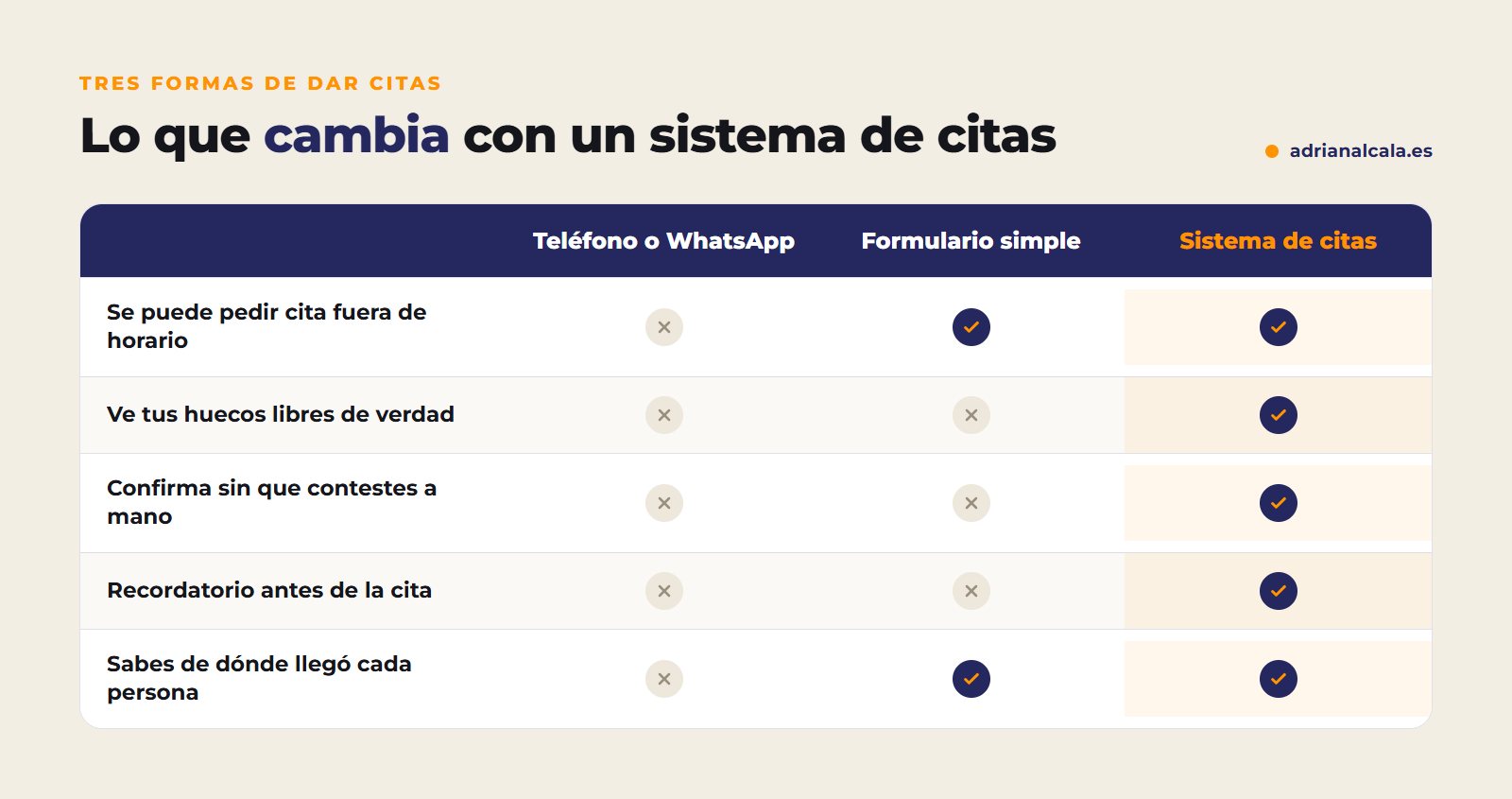
What it should have a good appointment system
Before choosing a tool, check that it meets these points. You can tick them off:
Which businesses they notice it more
How to set it up step by step
- Define your services and their duration. A first consultation is not the same as a review.
- Mark your real schedule, with breaks, holidays, and the margin you need between appointments.
- Connect your calendar so that only free slots are offered.
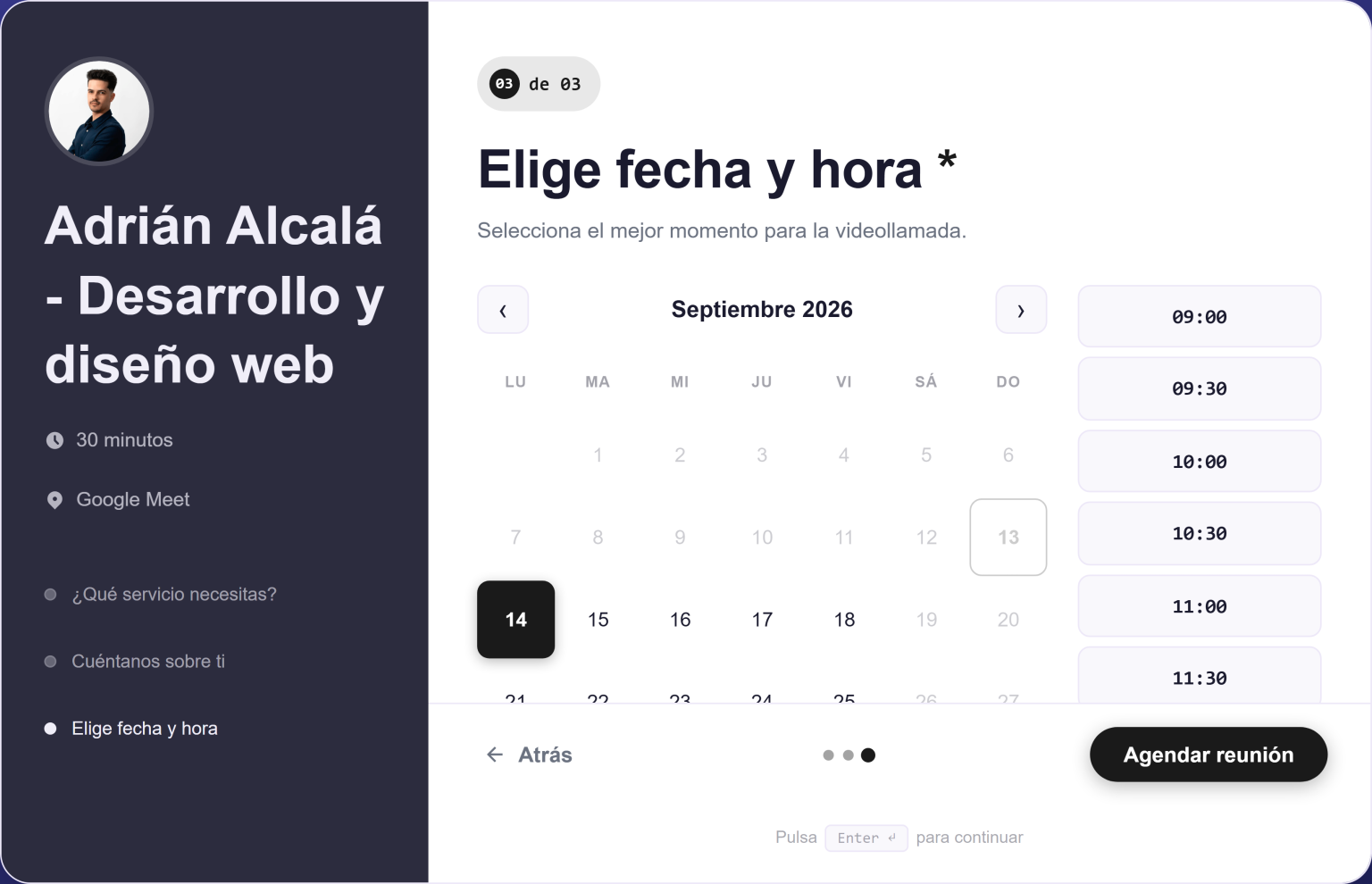
- Design a short form: what they need, when, and finally their data.
- Write the emails of confirmation, reminder, and follow-up with your tone, not with the one the tool brings.
- Put it where it's seen: a button in the header and on each service page, not just in "Contact".
- Try it yourself from your mobile, as if you were a client.
The data, in the end
If the first thing someone sees is a form asking for name, email, and phone, many leave. If they first choose what they need and when, when you ask for their data has already invested half a minute and it's normal for it to end.
The emails that accompany the appointment
A good appointment system doesn't end when the client clicks "confirm". The emails they receive afterwards are what prevent doubts, last-minute changes, and no-shows. These are the three that should not be missing:
An example of a reminder
"Hello, Lucía. We remind you of your first consultation tomorrow, Thursday, at 10:30 AM, on Calle Mayor 12. If you cannot come, reply to this email and we will find you another slot. See you tomorrow!"
External platform or within your website?
There are two ways to have online appointments: linking to another company's booking platform or having the system within your own WordPress. Both work, but they are not the same:
| External platform | Within your WordPress | |
|---|---|---|
| Where the data is | On the platform's servers | In your database |
| Cost | Normally, a monthly fee | Depends on the plugin; there are one-time payment ones |
| Design | The platform's, with little margin | Adapts to your website's |
| The visit | Leaves your website to book | Book without leaving your website |
When everything stays within your website, you can also see in a single inbox the appointments, quotes, and other requests you receive.
Cómo lo resuelve JetStudio Bookings
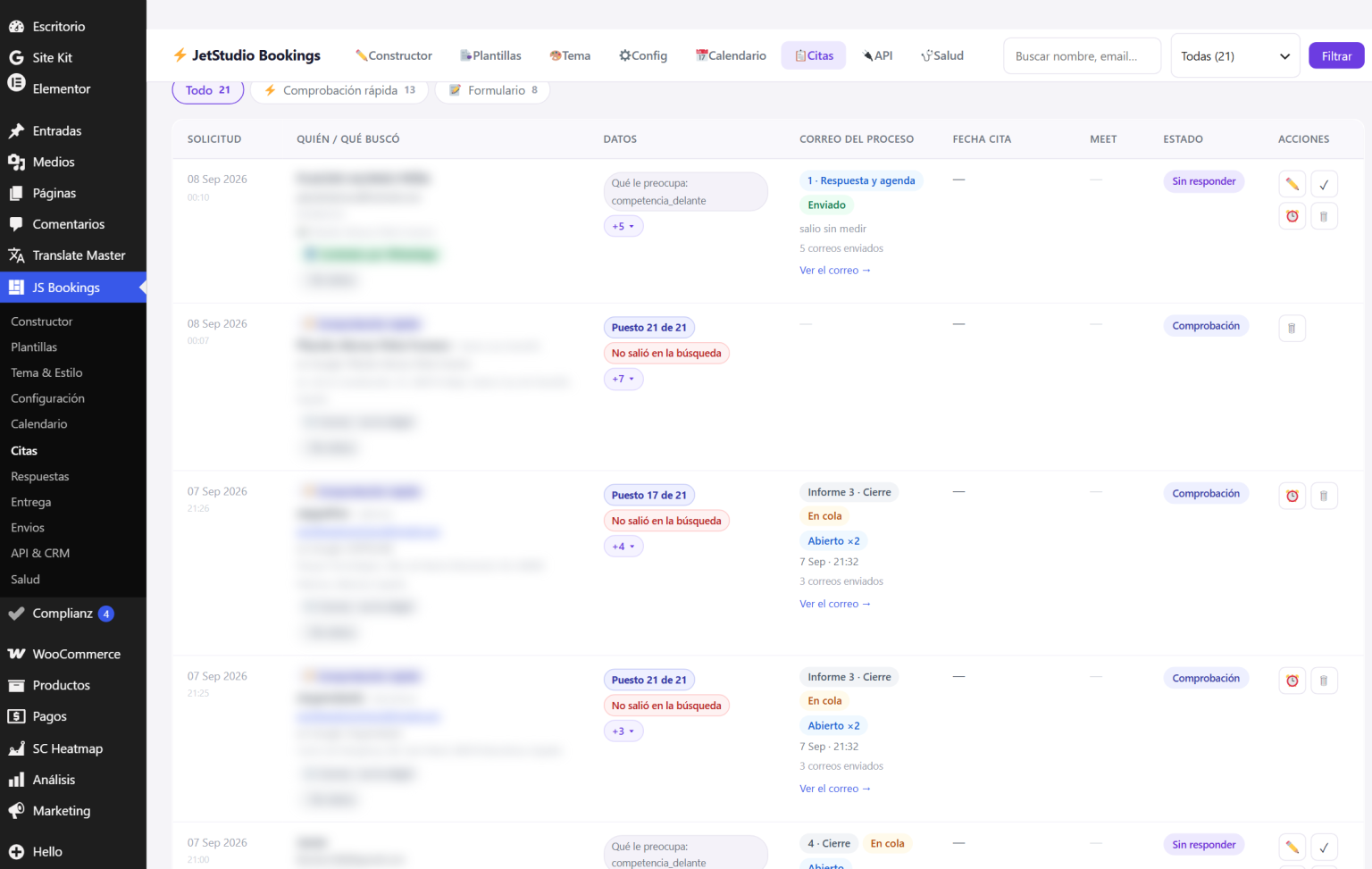
JetStudio Bookings is a WordPress plugin for appointments and step-by-step lead generation. The free version does not expire: includes the visual form builder, the requests inbox in your WordPress, email notification and the origin of each person, with Elementor widget and shortcode.
The Pro version adds what makes you not have to be on top of it: real slots from your Google Calendar, the event created with its Meet link, reply and follow-up emails that stop automatically when the person responds, and a Health screen that checks if the form is still working. It's a one-time payment: €29.95 for one site, VAT included, no monthly fee.

Adrián Alcalá WordPress plugin developer
Nothing should live on an external service: each request, in your WordPress, with its status, where the person came from, and what has been sent to them.
Frequently Asked Questions
Do I need Google Calendar to have online appointments?
To receive organized requests, no: a good form and an inbox are enough. For the system to offer only free slots and create the appointment automatically, yes, you need to connect it to your calendar.
What if the client doesn't show up?
Automatic reminders reduce no-shows. It also helps that the confirmation includes how to change or cancel the appointment, so they notify you instead of not showing up.
Does it work with Elementor?
In the case of JetStudio Bookings, yes: it has its own Elementor widget and also a shortcode to place it on any page.
Can I put the appointment button on several pages?
Yes, and it's recommended: on each service page, near where the client decides. The less they have to look for it, the more appointments you will receive.
Does it also serve for requesting quotes, not just appointments?
Yes. A step-by-step form can collect both appointments and quote requests, and the practical thing is that everything arrives in the same inbox, with who it is, what they answered, and where they came from.
Stop giving appointments by phone
With JetStudio Bookings, the appointment plugin for WordPress, your clients choose a slot without leaving your website and each request is saved in your own WordPress. Start with the free version.
To go deeper
Written by Adrián Alcalá
Web designer in Dénia. If you have any questions about what you have read, write to me.