

Google Ads has a simple rule: charges for every click, whether it sells or not. That's why a poorly set up account loses money silently, without anything seeming broken. Ads appear, people click, the bill arrives… and customers don't. These are the Google Ads errors that eat up the most budget in small businesses, how to detect them in your account, and what to do with each one.
The essentials in 30 seconds
- The most expensive error is not measuring conversions: without that, you don't know which campaign brings customers and which one just spends.
- Each ad should lead to a page designed for that search, not to the homepage.
- Without negative keywords, your ads appear in searches that have nothing to do with what you sell.
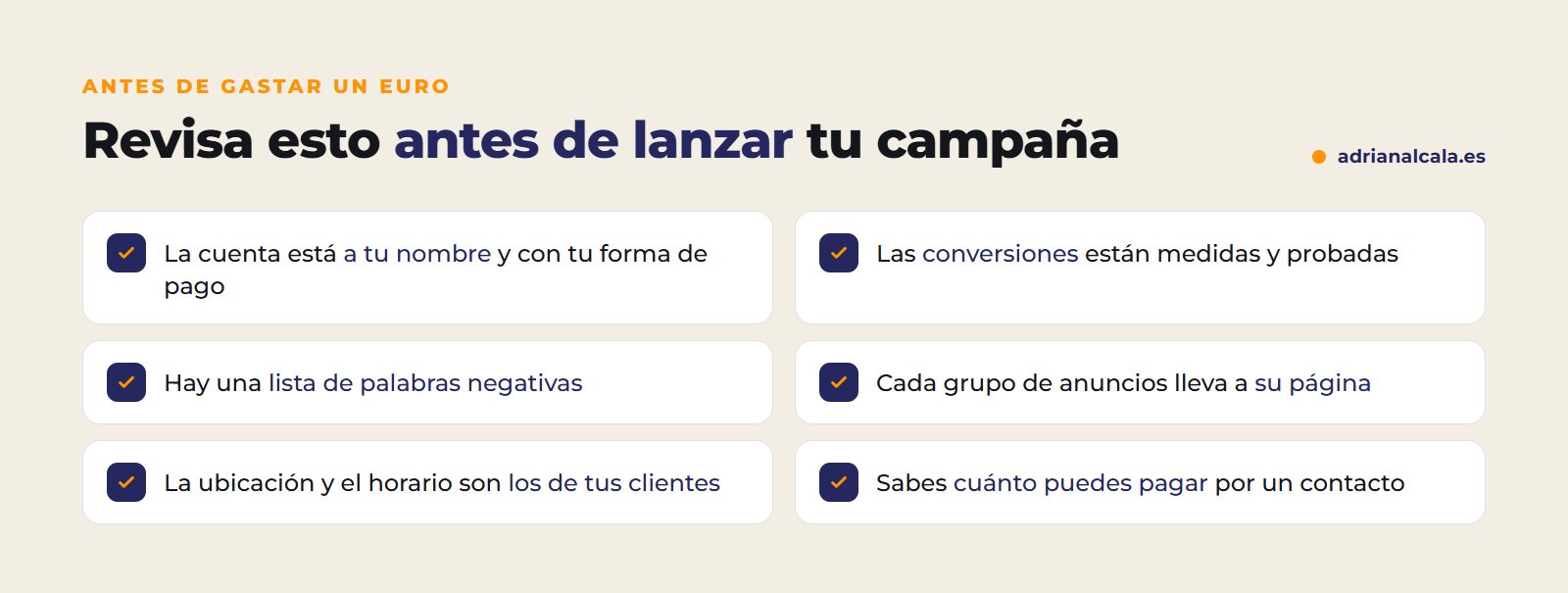
- The account must be in your name, with your payment method, and reviewed every week.
In this article
Why Google Ads eats up the budget
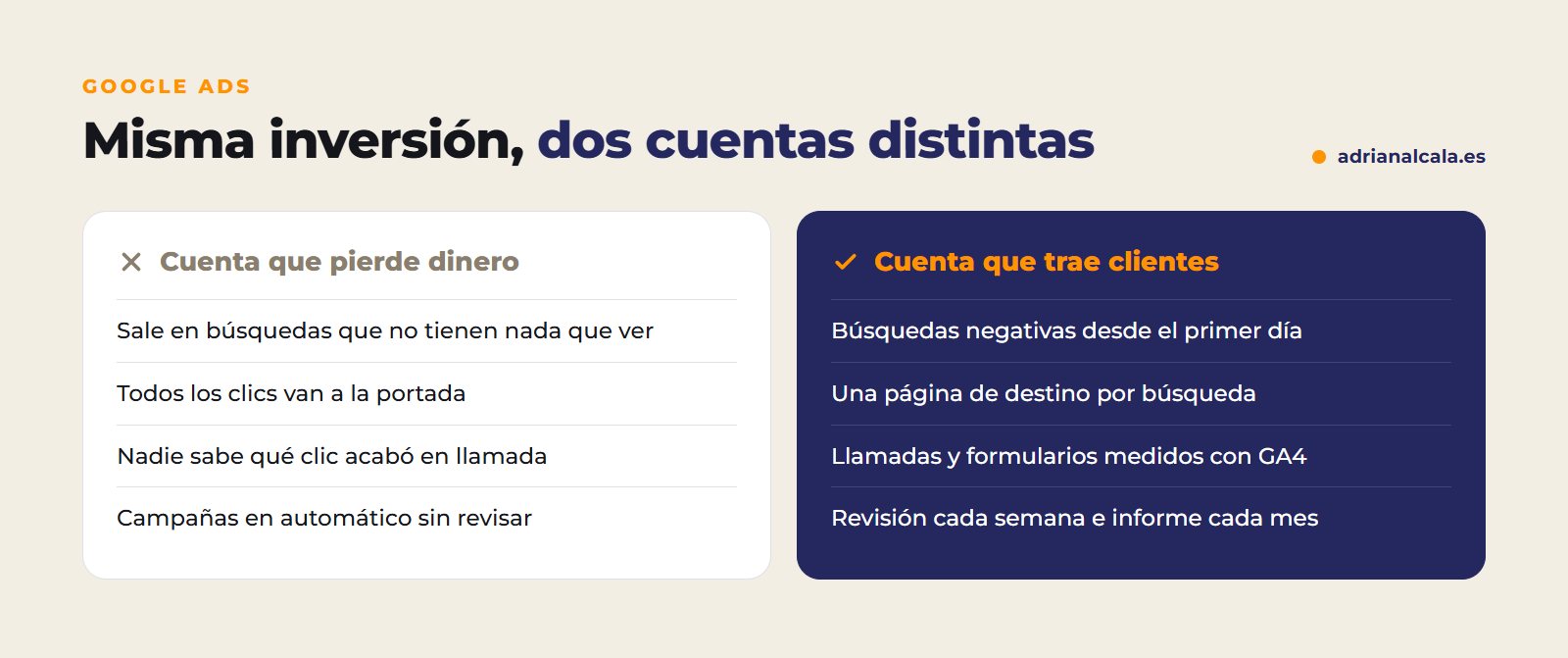
The problem is almost never the platform. It's how the account is set up: ads appearing in wrong searches, clicks landing on a generic page, and no one checking which click ends up in a call or a form. Each of these failures, separately, seems small. Together, they explain why so many businesses say that «Google Ads doesn't work».
10 Google Ads errors and how to correct them
1. Not measuring conversions
If the account only counts clicks, Google optimizes to get clicks, not customers. Calls, forms, and sales must be registered, for example with Google Tag Manager and Analytics 4, and connected to Google Ads. Check it: in the conversions column of your campaigns there should be data, and it should more or less match the contacts you receive.
2. Sending all clicks to the homepage
Someone searching for «urgent plumber» and landing on a homepage with seven menu options has to search again for what they had already searched for. Many don't. Each ad group should lead to a page that responds exactly to that search, with a single objective.
3. Keywords too broad and without negatives
If you bid for «web design», you might end up paying for clicks from someone searching for «free web design course». The negative keywords tell Google in which searches you don't want to appear. They are prepared before launching and are expanded weekly with the search terms report.
4. Mixing services in the same ad group
A group that mixes «bathroom renovations», «kitchen renovations» and «painting» ends up with generic ads that don't respond well to any search. Better one group per service (and by area, if you work in several), with texts that repeat what the person has just typed.
5. Ad and page that say different things
If the ad promises «quote in 24 hours» and the page doesn't mention it, the visitor doubts and leaves. Furthermore, Google measures the relevance between ad and destination, and that influences what you pay for each click. Same message, same offer, same tone in both.
6. Misconfigured location
By default, Google can show your ads to people who are in your area or who show interest for it. For a local business, it's usually advisable to limit it to those who are or usually are there. Also check the schedule: if no one answers the phone at eleven at night, perhaps you're not interested in paying for clicks at that time.
7. Applying automatic recommendations without looking at them
The platform constantly suggests changes: expanding keywords, increasing budget, changing bidding strategy. Some make sense and others don't. None should be applied without understanding what changes.
8. Judging the campaign by clicks
Many cheap clicks can be worse than few expensive clicks that end in customers. The metric that matters is how much each contact costs you and, if you can measure it, each sale.
9. Changing everything every two days
Campaigns need data to know what works. If you continuously change bids, ads and budget, there is never enough. The first few weeks are for seeing which searches bring contacts; from there, what doesn't work is cut and what does is reinforced.
10. That the account is not yours
If the account is in the name of the person who manages your ads, the day you stop working together you lose the history, campaigns and data. The account must be in your name and with your payment method; the manager enters as a user.
Investment and management, separately
What you pay Google should come from your card and be seen in your account; management is invoiced separately. This way you always know how much is invested in ads and how much in the work of managing them.
The metrics that matter and the misleading ones
| Metric | What it tells you | Why it's not enough on its own |
|---|---|---|
| Clicks | How many people enter from the ad | It doesn't say if anyone contacted you |
| CTR | What percentage of people who see the ad click | A very eye-catching ad can attract clicks that don't buy |
| Cost per click | How much you pay on average for each visit | Cheap is not always profitable |
| Conversions | How many calls, forms or sales it brings | It must be checked that they are measured correctly |
| Cost per conversion | How much each contact costs you | It's the one that comes closest to profitability |
Google Ads and SEO do not compete
Ads bring visits from day one while you pay; organic positioning takes months, but continues to bring visits when you stop paying. The usual thing is to start with ads to get contacts now and work on SEO in parallel to depend less and less on them. If your business still doesn't appear in the normal results, in why your business doesn't appear on Google you have the most common causes.

Adrián Alcalá Google Ads and web design
The first thing I look at in an account is whether it's known which click ends in a call. If that's not measured, everything else is guesswork.
Frequently Asked Questions
How much should be invested in Google Ads?
It depends on the sector and the area: a click for a lawyer in a big city doesn't cost the same as for a restaurant in a village. The sensible thing to do is to first look at how much a click costs for the searches you are interested in and decide on a minimum budget with those numbers in front of you.
When do results start to be seen?
Ads start appearing as soon as Google approves them, usually in one or two days. The first few weeks are for learning which searches bring contacts; from there the campaign is adjusted.
Can I manage my campaigns myself?
Yes, if you dedicate time to it every week and have conversions measured. What doesn't work is launching the campaign and forgetting about it: without review, the budget goes to searches that are not of interest.
Does paying for ads improve my position in normal results?
No. Ads and organic results work separately. What you can do is use your campaign data to find out which searches bring customers and work on those same searches in SEO.
Do you want to know what returns every euro to you?
I take care of the Google Ads management with measured conversion: campaigns ordered by service, one landing page per search, weekly review and clear monthly report. The account, always in your name.
To go deeper
Written by Adrián Alcalá
Web designer in Dénia. If you have any questions about what you have read, write to me.